本实验讲解如何在 Google Agent Development Kit(Google ADK) 中编排多智能体系统(Multi-Agent Systems)。
本实验假设你已经熟悉 ADK 基础知识和工具(Tool)的使用,即已完成以下两个实验:
- Get started with Google Agent Development Kit (ADK)
- Empower ADK agents with tools
实验目标
在本实验中,你将:
- 创建多个 Agent,并通过"父 Agent → 子 Agent"关系将它们关联起来。
- 通过写入会话(Session)的 state 字典,在多轮对话和多个 Agent 之间累积内容。
- 指示 Agent 从会话 state 中读取值,作为生成回复的上下文。
- 使用工作流 Agent(Workflow Agents)让对话在 Agent 之间直接传递。
你需要准备
- 一个标准的网络浏览器(推荐 Chrome)。
- 完成实验的整块时间——实验一旦开始不能暂停。
本实验使用讲师提供的实验平台(Qwiklabs/Google Skills)分配的临时学员账号和临时 GCP 项目,不会用到你的个人账号。
- 在实验页面左上角点击 Start Lab(开始实验) 按钮。计时器开始倒计时,倒计时代表 Google Cloud 资源对你可用的时长,计时不可暂停。
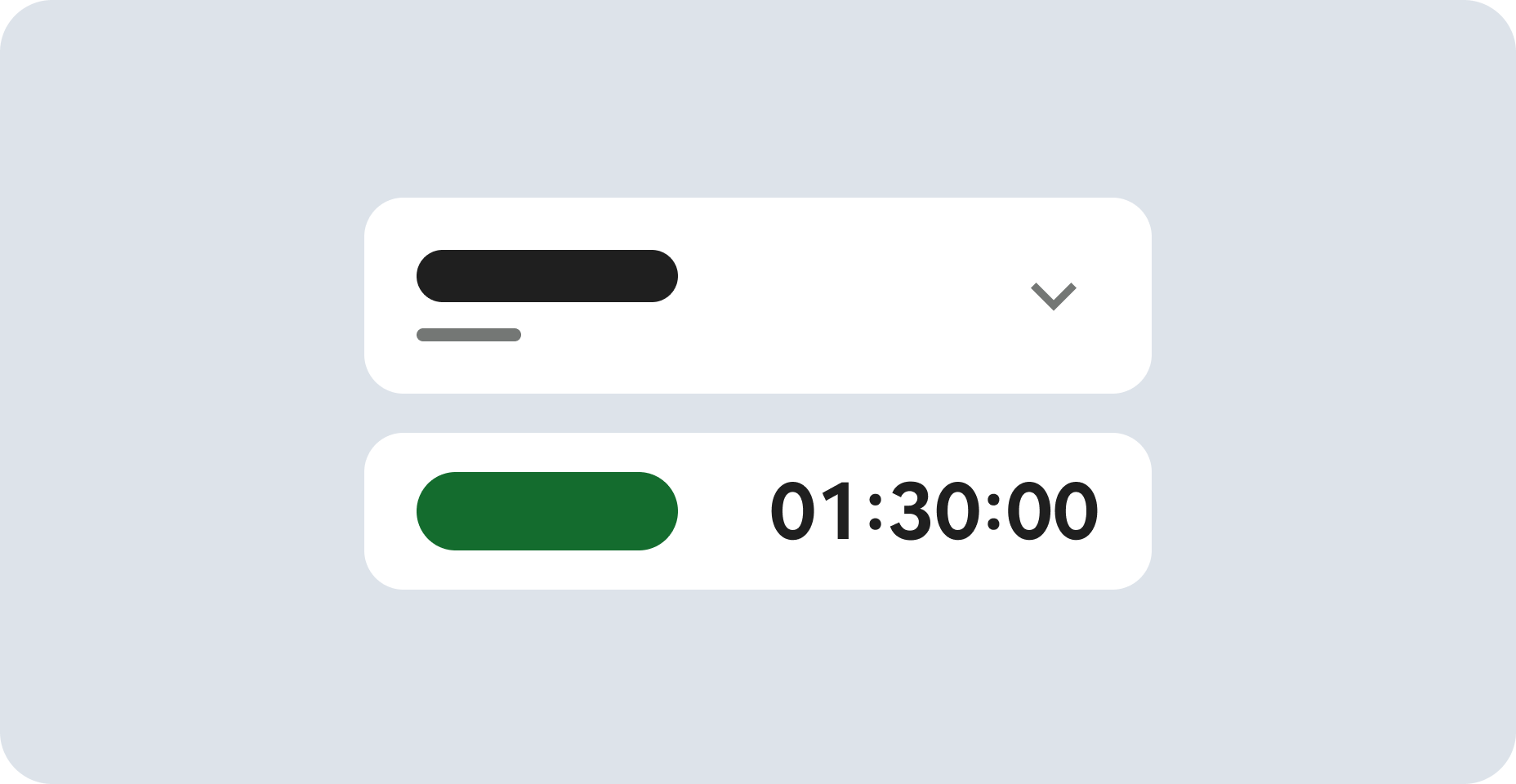
- 左侧会出现 Lab Setup(实验详情) 面板,包含:
- Open Google Cloud console(打开 Google Cloud 控制台) 按钮
- 本实验必须使用的临时用户名(Username)和密码(Password)
- GCP Project ID(项目 ID)
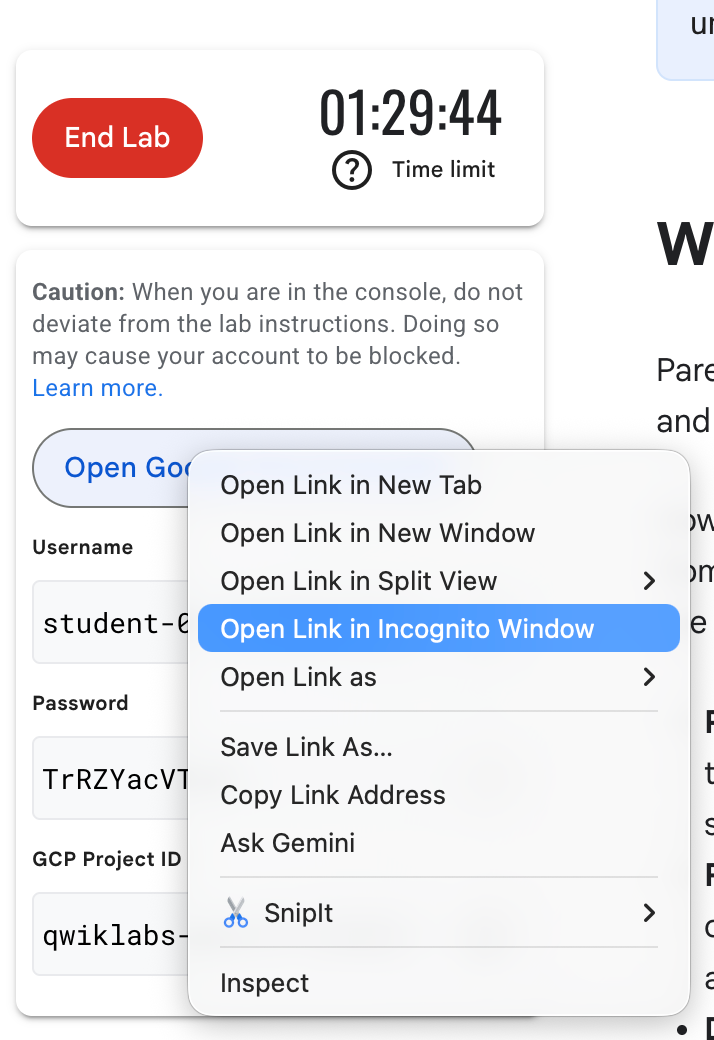
- 右键点击 Open Google Cloud console,选择 在无痕窗口中打开链接(Open Link in Incognito Window)。
- 在打开的 Google 登录页中,复制 Lab Setup 面板里的 Username 粘贴到登录框,点击 下一步;再复制 Password 粘贴,点击 下一步。
- 在后续页面中依次:
- 接受条款和条件(Terms of Service),点击 Agree and continue(同意并继续)。
- 不要添加恢复选项或两步验证(这是临时账号)。
- 不要注册免费试用。
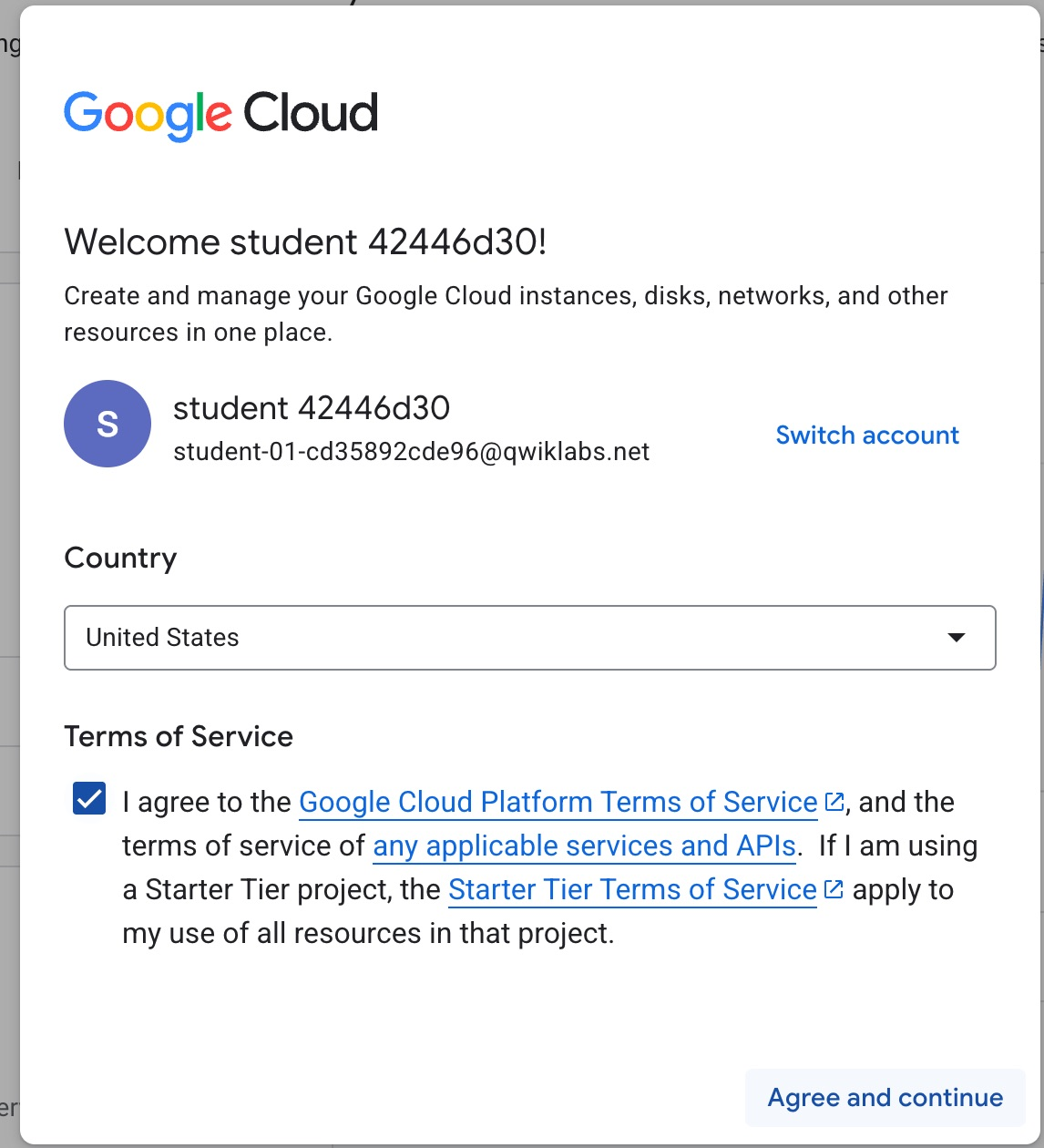
片刻之后,Google Cloud 控制台就会在此标签页中打开。
在本页面设置你的项目 ID(重要)
- 把 Lab Setup 面板中的 GCP Project ID(形如
qwiklabs-gcp-01-xxxxxxxxxxxx)复制下来,粘贴到本页面右上角的「Project ID」输入框中。填好后,本手册里所有命令中橙色高亮的YOUR_PROJECT_ID都会自动替换成你的真实项目 ID——之后所有命令直接点复制按钮粘贴到 Cloud Shell 即可,无需手工改任何参数。
Agent Development Kit 让开发者能够从生成式模型中获得更可靠、更复杂的多步行为。与其编写一段冗长复杂、结果未必可靠的提示词,不如构建一个由多个简单 Agent 组成的流程,让它们通过分工协作来解决复杂问题。
这种架构方式有几个关键优势:
- 更容易设计: 你可以按照"每个 Agent 有明确职责和技能"的思路来思考。
- 专职分工、表现更可靠: 专职 Agent 可以从清晰的示例中学习,在自己的专项任务上变得更可靠。
- 组织性: 把工作流拆分成不同的 Agent,结构更清晰,也就更容易推理。
- 可改进、可维护: 改进或修复一个专职组件,比修改一个复杂大 Agent 容易得多——后者往往修好一个行为却影响了其它行为。
- 模块化: 一个工作流中的 Agent 可以轻松复制到其它类似的工作流中复用。
层级 Agent 树(Hierarchical Agent Tree)
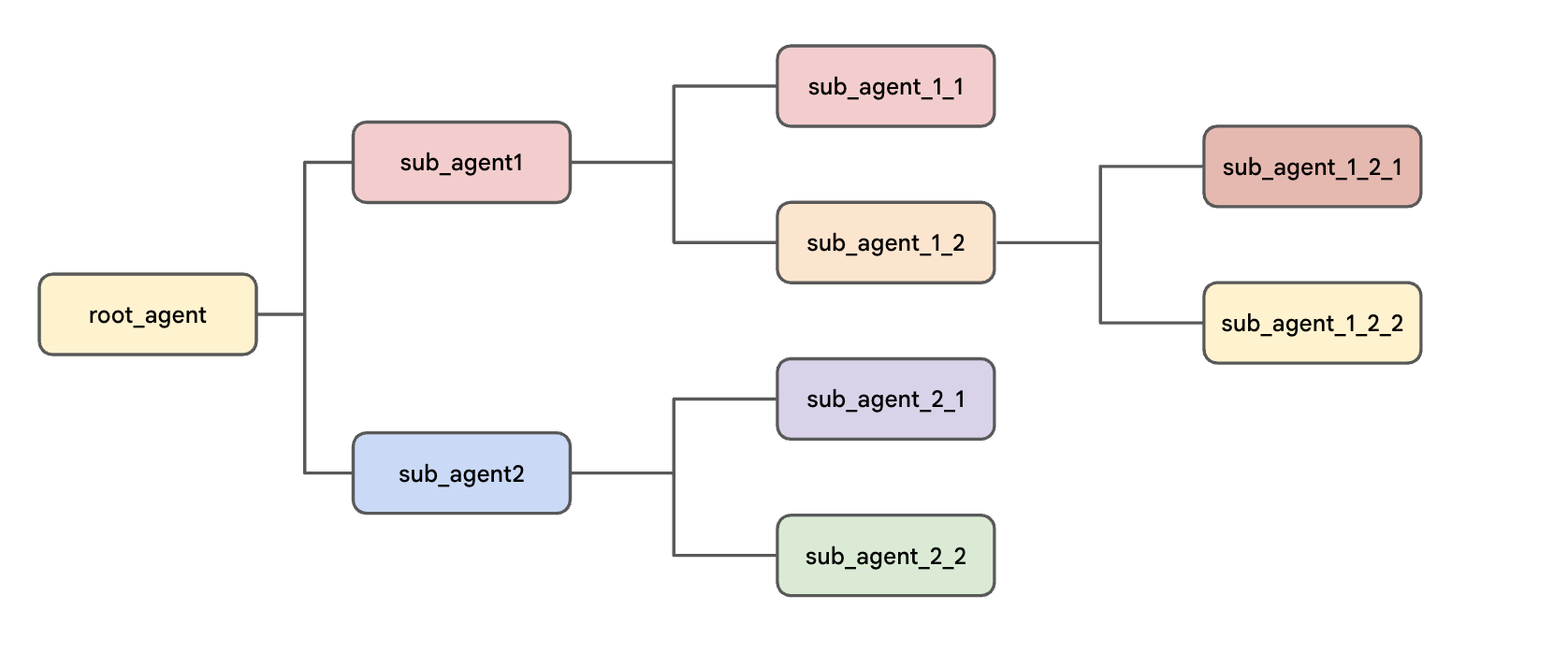
在 ADK 中,你以树状结构组织 Agent。这可以限制树中每个 Agent 的转移(transfer)选项,让对话在树中可能经过的路径更可控、更可预测。层级结构的好处包括:
- 借鉴现实世界的协作团队,让多智能体系统的行为更容易设计和推理。
- 对开发者直观,因为它与常见的软件开发模式一致。
- 对信息流和任务分派有更强的控制力,更容易理解可能的路径并调试系统。例如,如果系统在流程的不同位置有两个描述相似的报告生成 Agent,树结构可以更容易确保调用的是正确的那一个。
整个结构始终从定义在 root_agent 变量中的 Agent 开始(它面向用户的 name 可以是别的名字)。root_agent 可以作为一个或多个子 Agent(sub-agents) 的父 Agent(parent),每个子 Agent 又可以有自己的子 Agent。
在本实验环境中,Agent Platform API 已经为你启用。如果你在自己的项目中操作,需要先进入 Agent Platform 页面,按提示启用该 API。
准备 Cloud Shell Editor 标签页
- 选中 Google Cloud 控制台窗口,依次按键盘上的 G 键和 S 键打开 Cloud Shell。也可以点击控制台右上角的 激活 Cloud Shell 按钮(
 )。
)。
- 点击 继续(Continue)。
- 提示授权 Cloud Shell 时,点击 授权(Authorize)。等终端出现
Welcome to Cloud Shell!且提示行显示你的项目 ID,即表示 Cloud Shell 已就绪。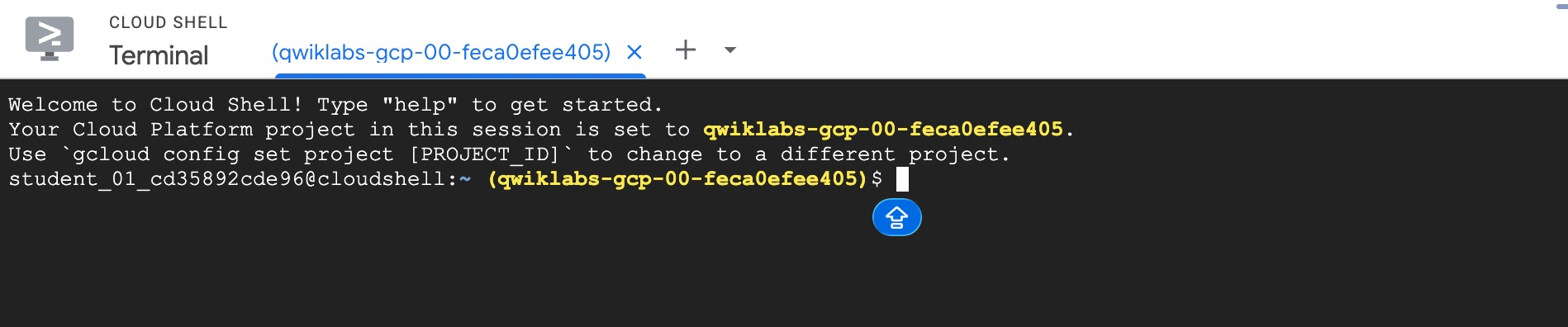
- 在 Cloud Shell 终端面板右上角,点击 在新窗口中打开 按钮
 。
。 - 点击面板顶部的 Open Editor 铅笔图标(
 )查看文件。
- 在左侧导航栏顶部点击 Explorer(资源管理器) 图标(
 )打开文件浏览器。
 - 点击 Open Folder(打开文件夹) 按钮。
- 在弹出的 Open Folder 对话框中,直接点击 OK,选择学员账号的主目录(home 目录)。
- 关闭右侧出现的教程或 Gemini 面板,给代码编辑器留出更多空间。
- 本实验后续步骤都在这个窗口中完成:Cloud Shell Editor 作为 IDE,Cloud Shell Terminal 作为终端。
下载并安装 ADK 及本实验代码示例
- 将以下命令粘贴到 Cloud Shell 终端,从本实验的 Cloud Storage 存储桶复制代码文件:
gcloud storage cp -r gs://YOUR_PROJECT_ID-bucket/* . - 在 Cloud Shell 终端运行以下命令,更新
PATH环境变量、安装 ADK 并安装本实验的其它依赖:export PATH=$PATH:"/home/${USER}/.local/bin" python3 -m pip install google-adk[otel-gcp]==1.30.0 -r adk_multiagent_systems/requirements.txt
安装大约需要一两分钟,出现 Successfully installed ... 字样即为成功。
对话总是从定义为 root_agent 变量的 Agent 开始。
父 Agent 的默认行为是:理解每个子 Agent 的 description(描述),并判断在对话的某个时刻是否应当把对话控制权转移(transfer) 给某个子 Agent。
你也可以在父 Agent 的 instruction 中直接用子 Agent 的名字(即它们 name 参数的值,不是 Python 变量名)来引导转移。来试一个例子:
- 在 Cloud Shell 终端运行以下命令,为 parent_and_subagents 目录中的 Agent 创建用于认证的
.env文件:
这些变量的作用如下:cd ~/adk_multiagent_systems cat << EOF > parent_and_subagents/.env GOOGLE_GENAI_USE_VERTEXAI=TRUE GOOGLE_CLOUD_PROJECT=YOUR_PROJECT_ID GOOGLE_CLOUD_LOCATION=global MODEL=gemini-3.5-flash EOFGOOGLE_GENAI_USE_VERTEXAI=TRUE表示使用 Agent Platform 进行认证,而不是 Gemini API key 认证。GOOGLE_CLOUD_PROJECT和GOOGLE_CLOUD_LOCATION提供模型调用所关联的项目和位置。MODEL存在这里,以便作为环境变量被加载。
- 运行以下命令,把
.env文件复制到 workflow_agents 目录(实验后面会用到):cp parent_and_subagents/.env workflow_agents/.env - 在 Cloud Shell Editor 的文件浏览器中,进入 adk_multiagent_systems/parent_and_subagents 目录。
- 点击打开 agent.py 文件。
- 注意文件中有三个 Agent:
- 一个名为
steering的 root_agent(这个 name 用于在 ADK 的开发 UI 和命令行界面中标识它)。它会问用户一个问题(是已经知道想去哪旅行,还是需要帮忙决定),用户的回答会帮助这个"导流" Agent 决定把对话导向哪个子 Agent。注意它的instruction很简单,并没有提到子 Agent,但它能感知到子 Agent 的 description。 - 一个 travel_brainstormer:当用户不知道想去哪里时,帮用户头脑风暴目的地。
- 一个 attractions_planner:当用户确定了想去的国家后,帮用户列出游玩清单。
- 一个名为
- 在创建 root_agent 的代码中添加下面这一行,把 travel_brainstormer 和 attractions_planner 设为 root_agent 的子 Agent:
sub_agents=[travel_brainstormer, attractions_planner]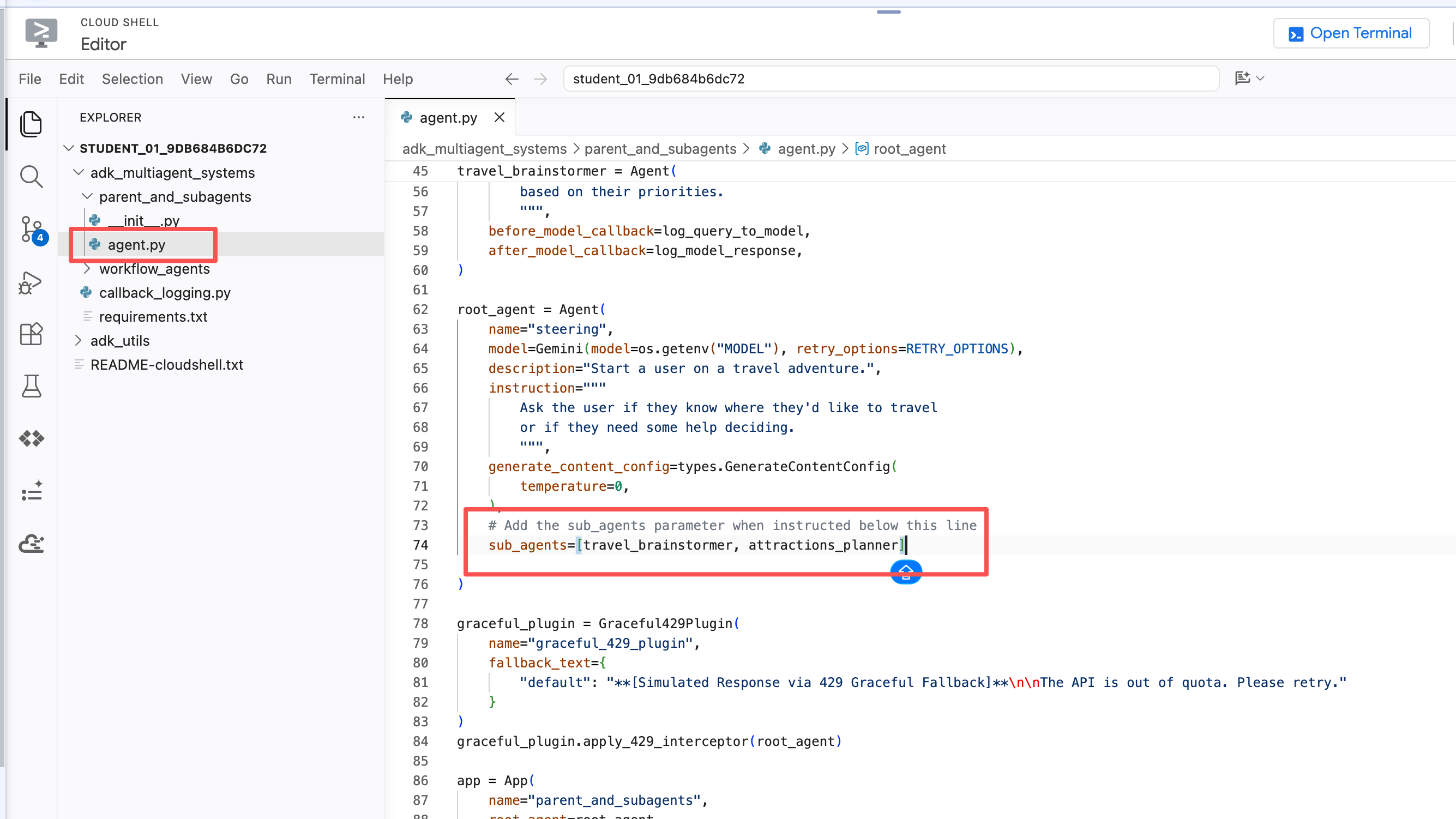
- 保存文件:按
Ctrl + S(Mac 为Cmd + S)。仅关闭标签页不会自动保存。 - 注意:不需要给子 Agent 添加对应的 parent 参数。层级树只通过在创建父 Agent 时指定
sub_agents来定义。 - 在 Cloud Shell 终端运行以下命令,用 ADK 命令行界面与你的 Agent 对话:
cd ~/adk_multiagent_systems adk run parent_and_subagents - 出现
[user]:提示符后,向 Agent 打个招呼:
示例输出(你的输出可能略有不同):hello[user]: hello [steering]: Hello! Welcome to your travel adventure. Do you already know where you'd like to travel, or would you like some help deciding? - 告诉 Agent:
示例输出(你的输出可能略有不同):I could use some help deciding.[user]: I could use some help deciding. [travel_brainstormer]: Hello! I'd love to help you decide on the perfect destination for your next trip. To start, here are a few highly popular countries that travelers love: * **Italy:** Famous for food, history, art, and beautiful landscapes. * **Japan:** A unique blend of ultra-modern cities, ancient temples, stunning nature, and incredible cuisine. ... - 注意回复中方括号里的名字变成了 [travel_brainstormer]——说明 root_agent(名为 [steering])仅凭子 Agent 的
description就把对话转移给了合适的子 Agent。 - 在
user:提示符处输入 exit 结束对话。 - 你也可以在父 Agent 的
instruction中写明何时转移给哪个子 Agent。在 agent.py 文件中,把以下内容追加到 root_agent 的instruction里:If they need help deciding, send them to 'travel_brainstormer'. If they know what country they'd like to visit, send them to the 'attractions_planner'.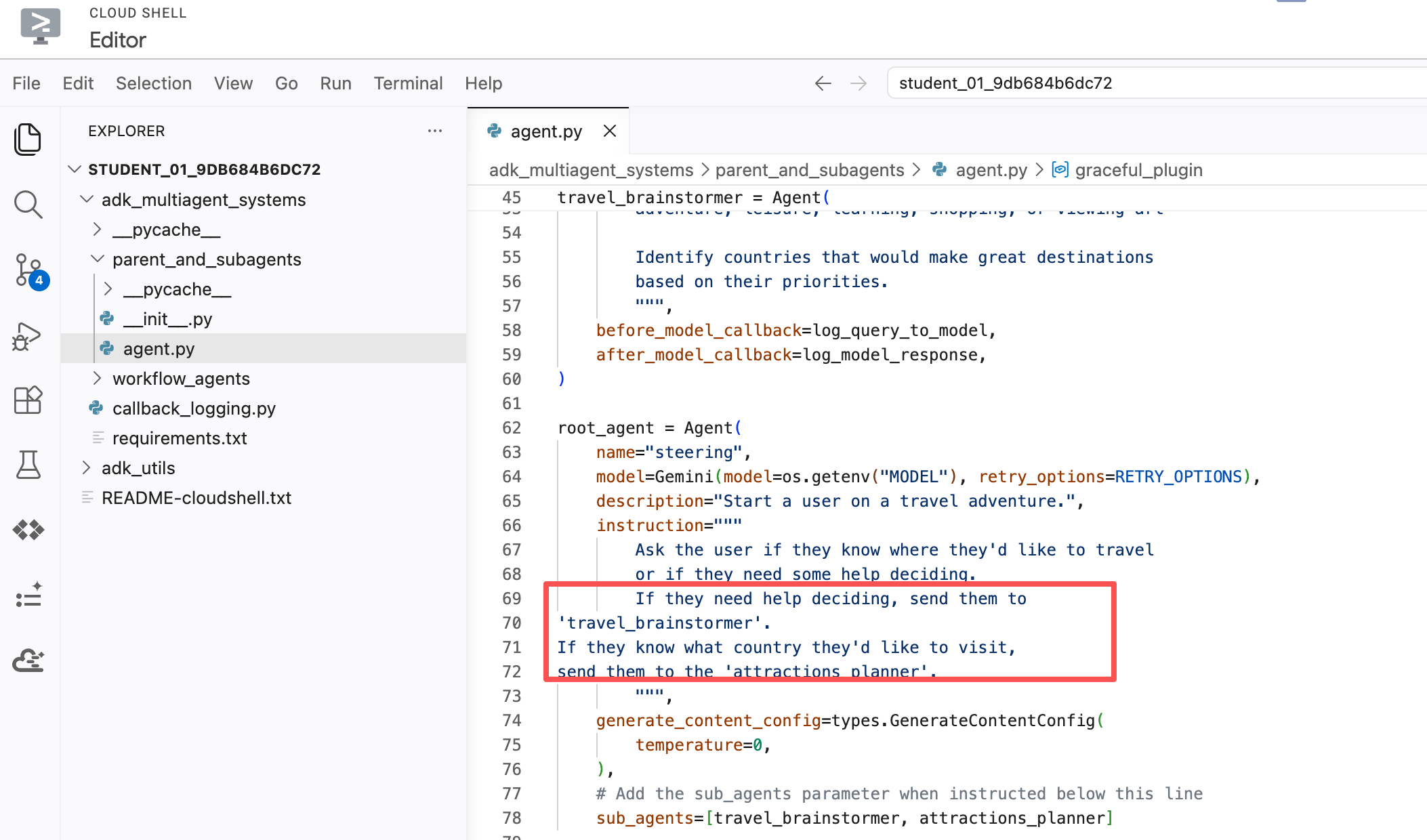
- 保存文件:在 Cloud Shell Editor 中按
Ctrl + S(Mac 为Cmd + S)。仅关闭标签页不会自动保存。 - 在 Cloud Shell 终端再次启动命令行界面:
adk run parent_and_subagents - 向 Agent 打招呼:
hello - 回复 Agent 的问候:
示例输出(你的输出可能略有不同):I would like to go to Japan.[user]: I would like to go to Japan. [attractions_planner]: Japan is an incredible destination with a perfect blend of ancient traditions and futuristic cities! Here are some of the top attractions and regions to consider for your trip... - 注意这次对话被转移到了另一个子 Agent:attractions_planner。
- 继续回复:
示例输出(你的输出可能略有不同):Actually I don't know what country to visit.user: actually I don't know what country to visit [travel_brainstormer]: Okay! I can help you brainstorm some countries for travel... - 注意对话又被转移到了 travel_brainstormer——它是 attractions_planner 的同级(peer) Agent。同级之间的转移默认是允许的。如果想禁止,可以在创建 attractions_planner 时把
disallow_transfer_to_peers参数设为True。 - 在 user 提示符处输入
exit结束会话。
ADK 中的每一段对话都包含在一个 Session(会话)中,参与对话的所有 Agent 都可以访问它。会话包含对话历史,Agent 会把它作为生成回复的上下文的一部分。会话还包含一个 session state(会话状态)字典,你可以用它更精细地控制最重要的信息以及这些信息的访问方式。
这对于在 Agent 之间传递信息,或在与用户的整段对话中维护一个简单的数据结构(比如任务清单)特别有用。
来试试往 state 里写入和读取:
- 回到文件 adk_multiagent_systems/parent_and_subagents/agent.py。
- 在
# Tools注释标题之后,粘贴以下函数定义:def save_attractions_to_state( tool_context: ToolContext, attractions: List[str] ) -> dict[str, str]: """Saves the list of attractions to state["attractions"]. Args: attractions [str]: a list of strings to add to the list of attractions Returns: None """ # Load existing attractions from state. If none exist, start an empty list existing_attractions = tool_context.state.get("attractions", []) # Update the 'attractions' key with a combo of old and new lists. # When the tool is run, ADK will create an event and make # corresponding updates in the session's state. tool_context.state["attractions"] = existing_attractions + attractions # A best practice for tools is to return a status message in a return dict return {"status": "success"}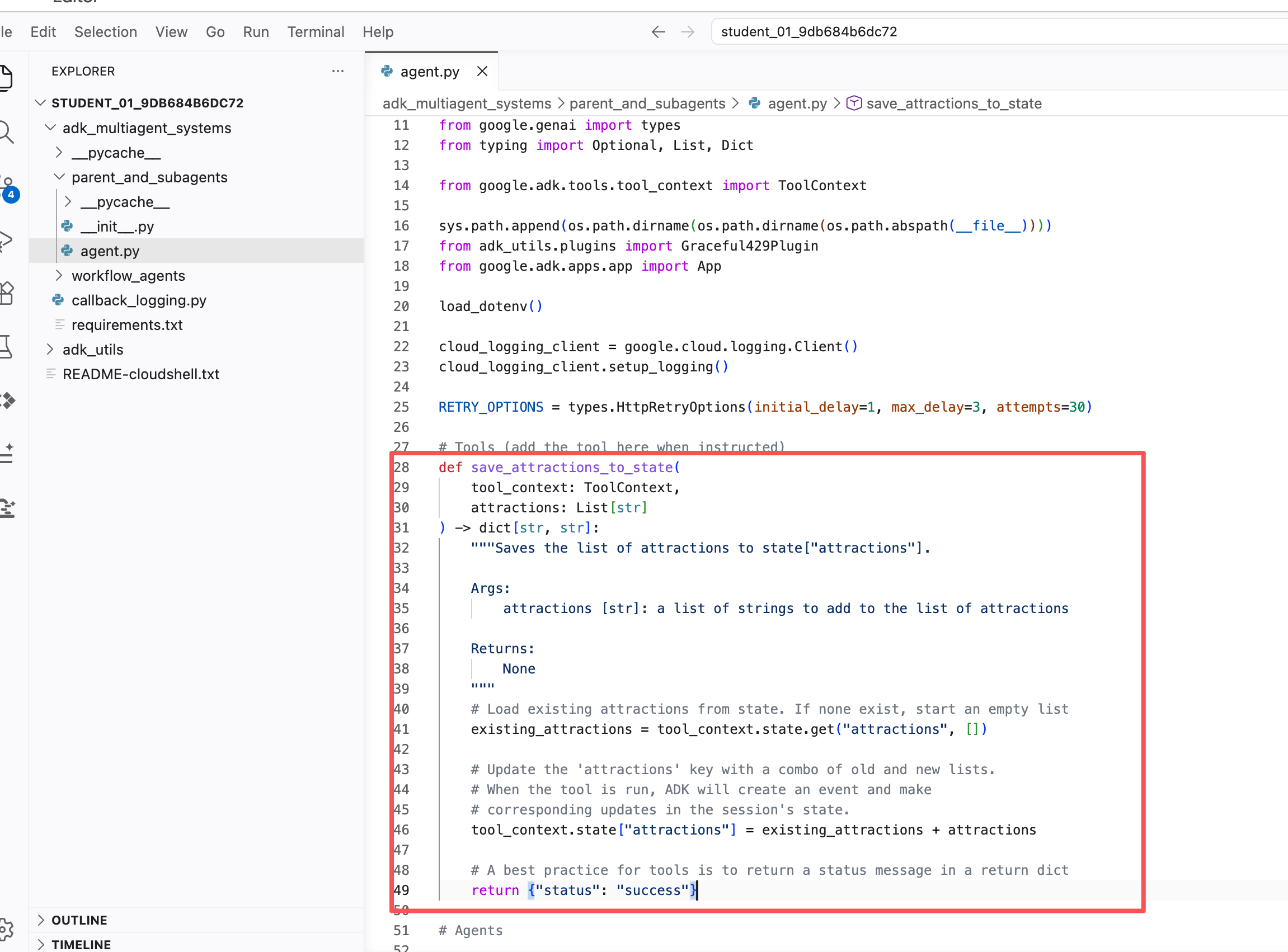
- 阅读这段代码,注意:
- 会话以
ToolContext的形式传入你的工具函数。你只需要声明一个参数来接收它(这里的参数名是tool_context),然后就可以通过tool_context访问会话信息,例如对话历史(tool_context.events)和会话状态字典(tool_context.state)。当工具函数修改了tool_context.state字典,这些变更会在工具执行结束后反映到会话的 state 中。 - docstring 提供了清晰的描述,以及参数和返回值的说明段落。
- 带注释的函数代码展示了更新 state 字典有多简单。
- 会话以
- 在创建 attractions_planner Agent 的代码中添加
tools参数,把工具挂上去:tools=[save_attractions_to_state]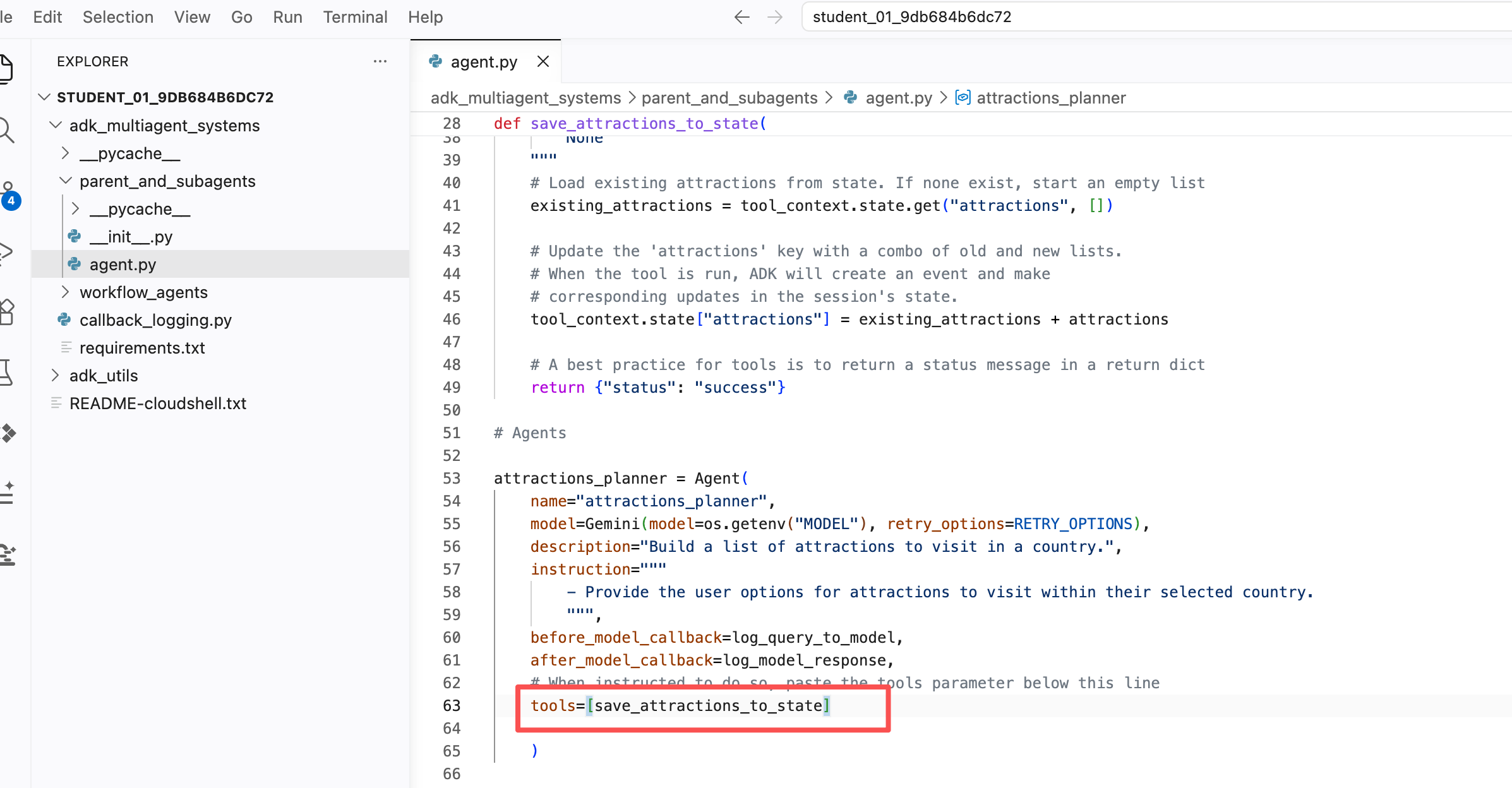
- 在 attractions_planner Agent 现有的
instruction中追加以下要点:- When they reply, use your tool to save their selected attraction and then provide more possible attractions. - If they ask to view the list, provide a bulleted list of { attractions? } and then suggest some more.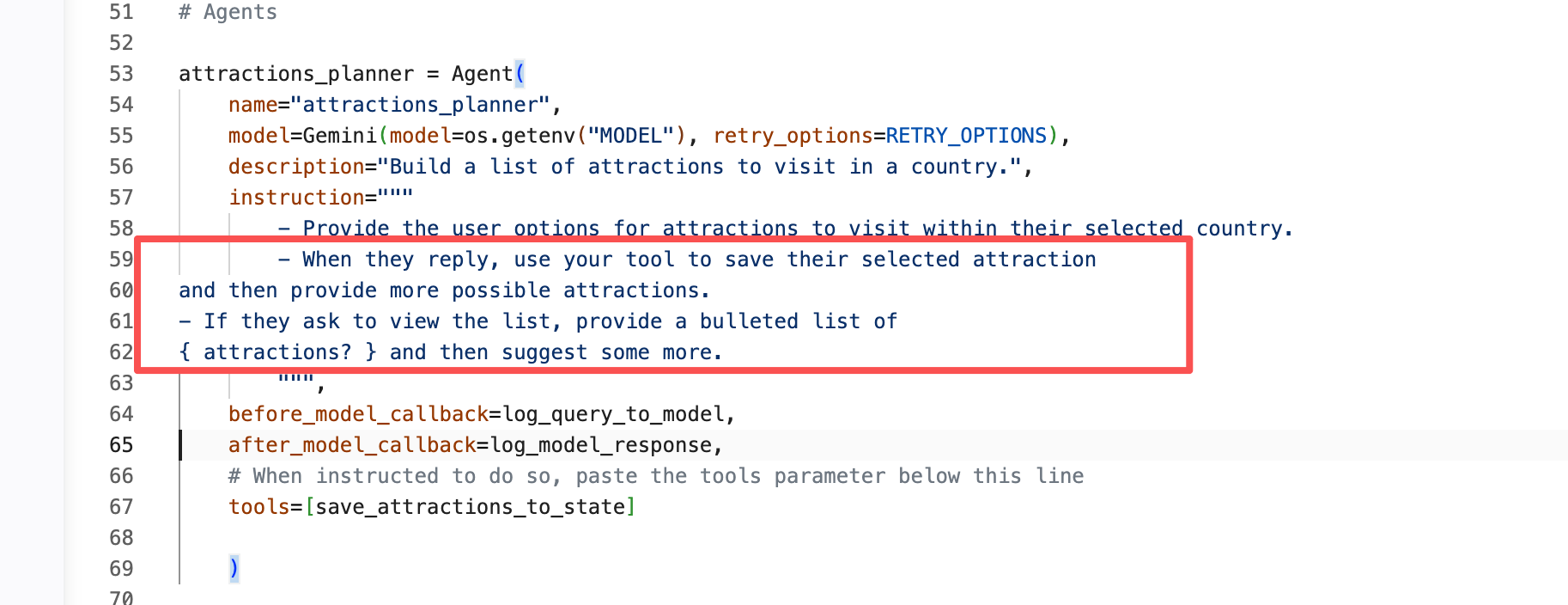
- 注意花括号里的部分:
{ attractions? }。这是 ADK 的 key templating(键模板) 特性,会从 state 字典中加载attractions键的值。键名后面的问号可以避免该字段尚不存在时报错。 - 现在改用 Web 界面运行 Agent,它提供了一个标签页,可以看到会话 state 的变化。用以下命令启动 Agent Development Kit Web UI:
输出:adk web --allow_origins "regex:https://.*\.cloudshell\.dev"INFO: Started server process [2434] INFO: Waiting for application startup. +-------------------------------------------------------+ | ADK Web Server started | | | | For local testing, access at http://localhost:8000. | +-------------------------------------------------------+ INFO: Application startup complete. INFO: Uvicorn running on http://127.0.0.1:8000 (Press CTRL+C to quit) - 点击终端输出中的 http://127.0.0.1:8000 链接,在新标签页中查看 Web 界面。
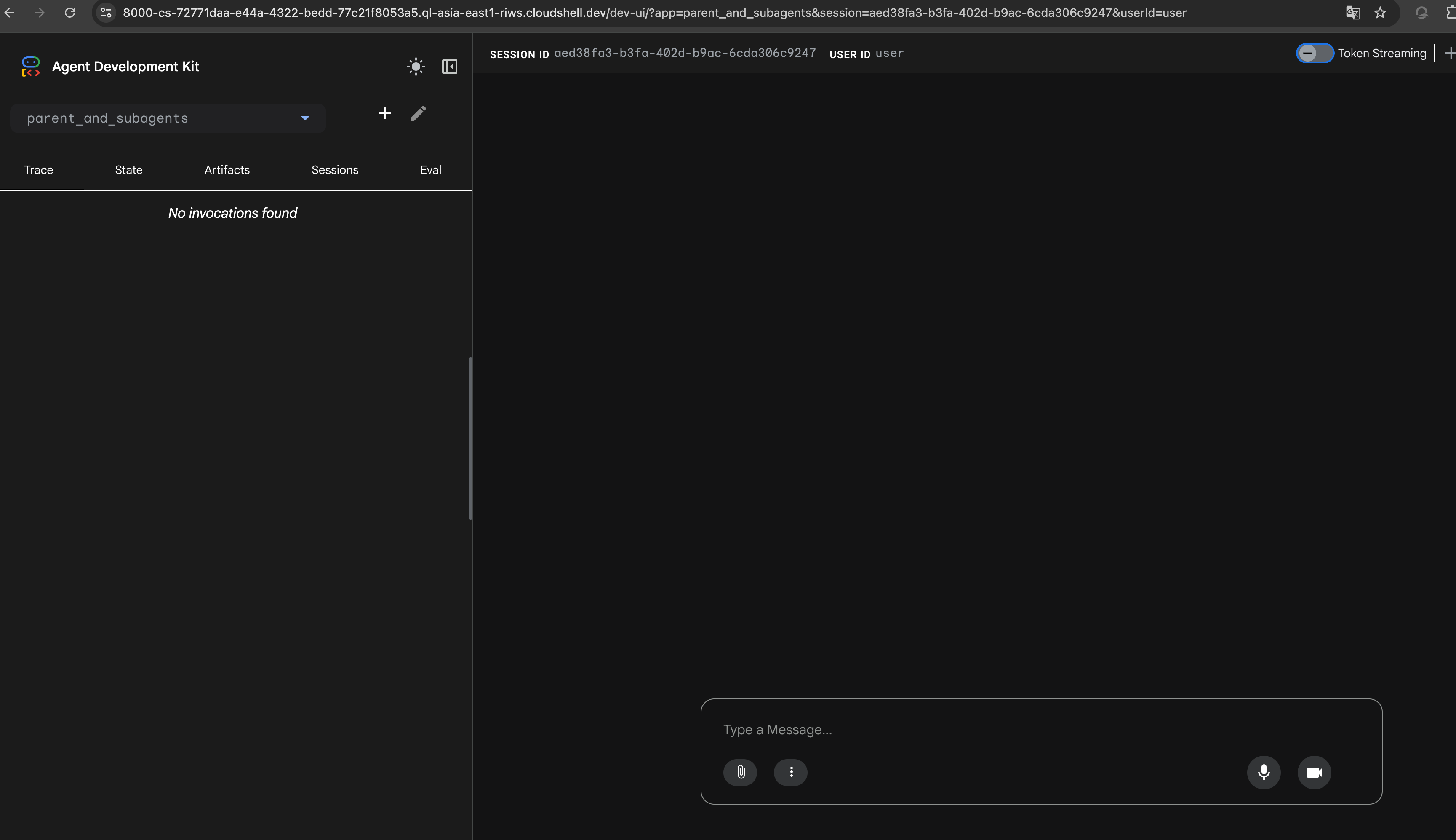
- 浏览器会打开一个新标签页,显示 ADK Dev UI。
- 在左侧 Select an agent 下拉框中,选择 parent_and_subagents。
- 用
hello开始对话。 - Agent 问候你之后,回复:
你应该会被转移到 attractions_planner,并得到一份景点列表。I'd like to go to Egypt. - 选择一个景点,例如:
I'll go to the Sphinx - 你应该会在回复中看到确认信息,例如:Okay, I've saved The Sphinx to your list. Here are some other attractions...
- 点击回复上方带勾选标记的工具框,查看工具响应产生的事件(event)。注意其中的 actions 字段包含 state_delta,描述了 state 的变更。
- Agent 会提示你继续选择景点。从它给出的选项中挑一个回复它。
- 在左侧导航栏点击 "X",退出刚才查看的事件详情。
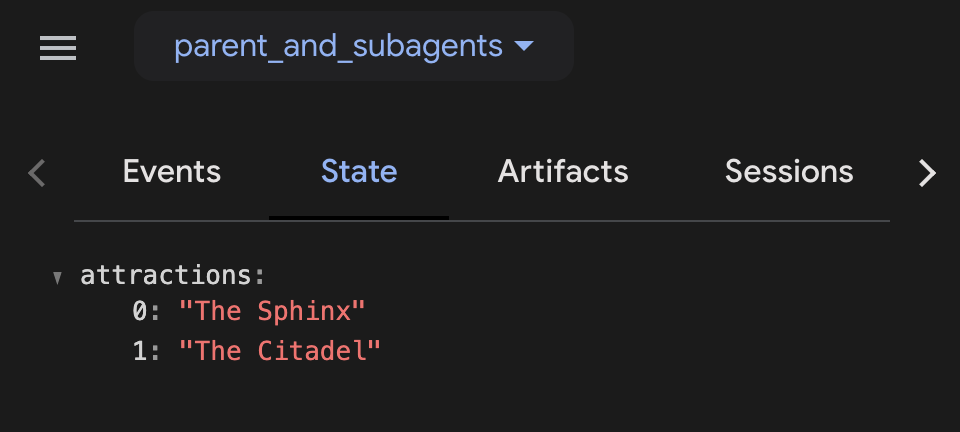
- 现在侧边栏会显示事件列表和几个标签页。选择 State 标签页,即可查看当前 state,包括包含你刚才选择的两个值的 attractions 数组。
- 向 Agent 发送这条消息:
What is on my list? - 它应该按照
instruction的要求,把你的清单以项目符号列表的形式返回。 - 体验结束后,关闭该浏览器标签页,并在 Cloud Shell 终端按 CTRL + C 停止服务器。在实验后面的部分,你将演示如何用 state 在 Agent 之间传递信息。
"父 → 子" 转移适合这样的场景:你有多个专职子 Agent,并且希望用户与它们逐个交互。
但如果你希望多个 Agent 一个接一个自动执行、中间不等待用户输入,就可以使用工作流 Agent(workflow agents)。典型场景包括:
- 计划与执行(Plan and Execute): 让一个 Agent 先列出条目清单,再让其它 Agent 使用该清单执行后续任务,例如撰写文档的各个章节。
- 研究与写作(Research and Write): 让一个 Agent 调用函数从 Google Search 或其它数据源收集上下文信息,再让另一个 Agent 用这些信息产出成果。
- 起草与修订(Draft and Revise): 让一个 Agent 起草文档,再让其它 Agent 检查并迭代改进。
为完成这类任务,工作流 Agent 拥有子 Agent,并保证每个子 Agent 都会执行。ADK 提供三种内置工作流 Agent,也支持自定义:
SequentialAgent(顺序)LoopAgent(循环)ParallelAgent(并行)
在实验的剩余部分,你将构建一个由多个 LLM Agent、工作流 Agent 和工具组成的多智能体系统,用来控制整个流程。
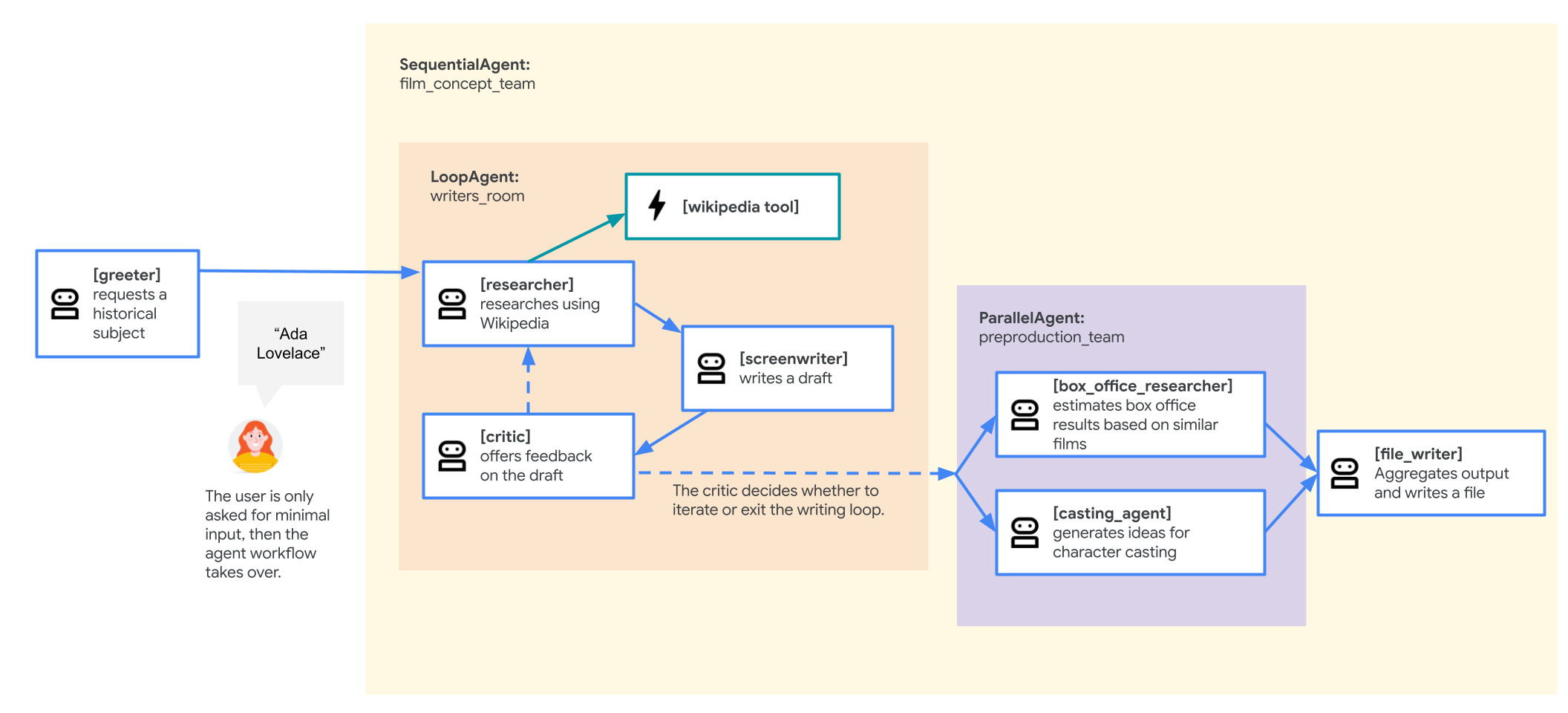
具体来说,你要构建的 Agent 将为一部新的爆款电影撰写立项提案(pitch document):一部以历史人物生平为原型的传记片。子 Agent 们将负责资料研究、由"编剧 + 评审"组成的迭代写作循环,最后还有几个子 Agent 帮忙头脑风暴选角方案,并利用历史票房数据对票房表现做出预测。
最终,你的多智能体系统会长这样(可点击图片放大):
不过,你会先从一个更简单的版本开始。
SequentialAgent 按线性顺序执行它的子 Agent:sub_agents 列表中的每个子 Agent 按定义顺序依次执行。
这非常适合"任务必须按特定顺序执行、且上一个任务的输出是下一个任务的输入"的工作流。
在本任务中,你将运行一个 SequentialAgent,构建电影提案多智能体系统的第一个版本。初版结构如下:
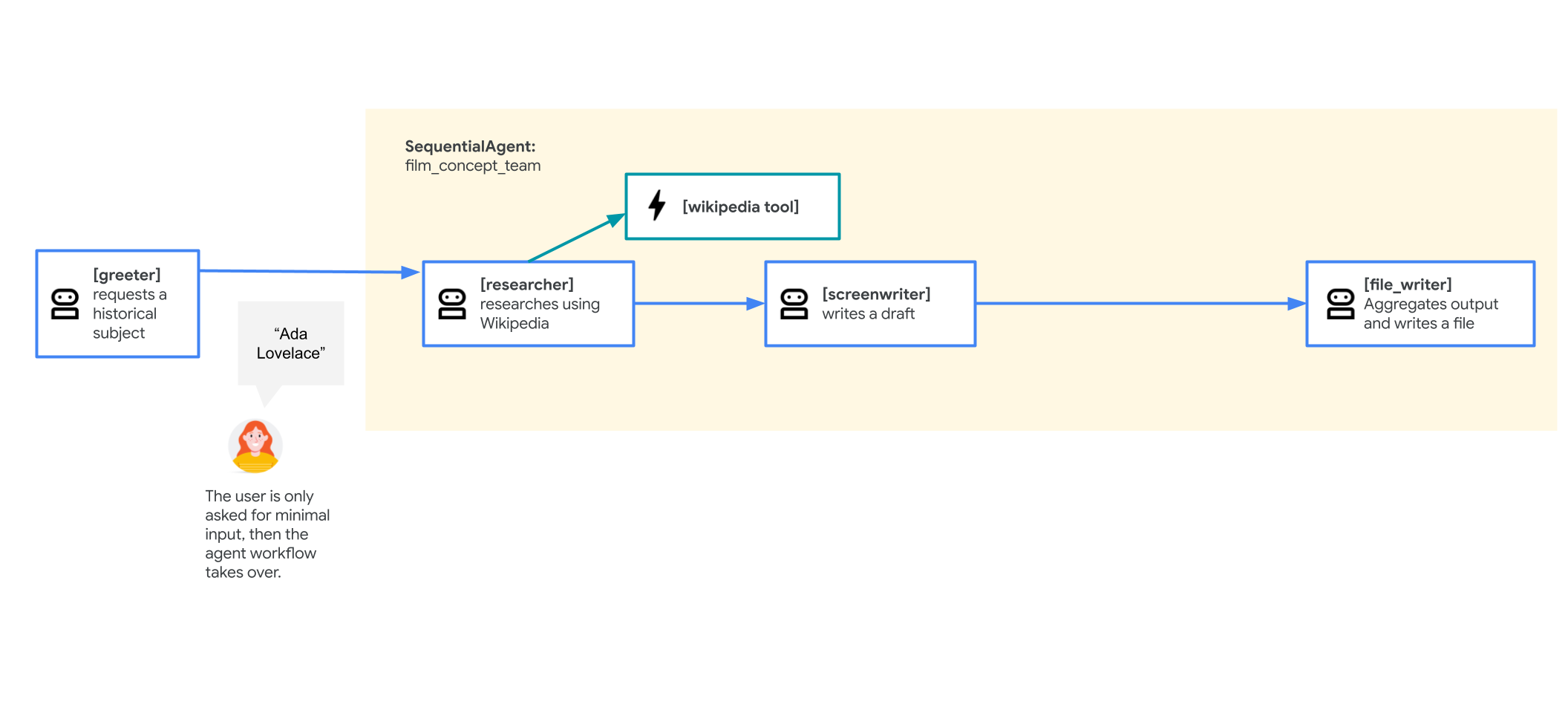
- 一个名为 greeter 的 root_agent:欢迎用户,并请用户提供一位历史人物作为电影主角。
- 一个名为 film_concept_team 的
SequentialAgent,包含:- researcher:使用在实验 Empower ADK agents with tools 中介绍过的 LangChain 工具,从 Wikipedia 获取该历史人物的资料。Agent 可以连续多次调用它的工具,所以如果 researcher 判断需要更多研究,它可以连续执行多轮。
- screenwriter:把研究资料写成剧情大纲。
- file_writer:为电影拟一个片名,并把整个流程的结果写入文件。
- 在 Cloud Shell Editor 中,进入 adk_multiagent_systems/workflow_agents 目录。
- 点击打开 workflow_agents 目录下的 agent.py 文件。
- 通读这个 Agent 定义文件。由于子 Agent 必须先定义才能挂到父 Agent 上,想按对话流程顺序阅读,可以从文件底部往上读。
- 文件中还有一个函数工具 append_to_state:它允许拥有该工具的 Agent 向 state 中某个字典值追加内容。这对可能多次调用工具、或在
LoopAgent中多轮执行的 Agent 特别有用——每次执行的输出都会被保存下来。 - (重要,请先做)修复内置的 Wikipedia 研究工具,否则运行时会报错。 本实验的 researcher 子 Agent 用一个较老的
wikipediaPython 库联网查资料,而 Wikimedia 现在会拦截该库默认的 User-Agent,导致工具收到空响应、运行时抛出JSONDecodeError: Expecting value: line 1 column 1 (char 0)。请在 workflow_agents/agent.py 文件的最顶部加入以下两行,给它设置一个自定义 User-Agent:import wikipedia wikipedia.set_user_agent("adk-lab/1.0 (https://example.com; lab@example.com)")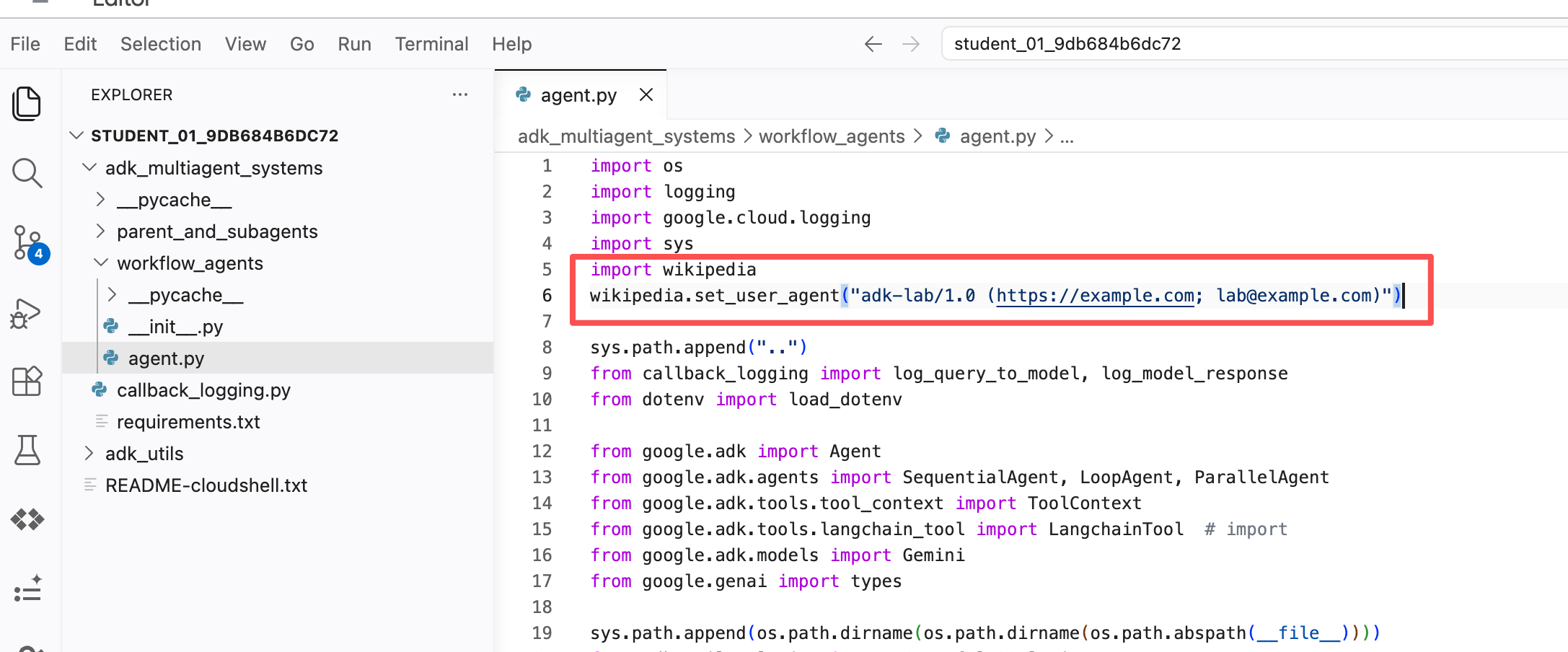 加好后按
加好后按 Ctrl + S(MacCmd + S)保存。 - 从 Cloud Shell 终端启动 Web 界面,试用当前版本的 Agent。这里使用
--reload_agents参数,让 Agent 代码变更后自动热加载:cd ~/adk_multiagent_systems adk web --allow_origins "regex:https://.*\.cloudshell\.dev" --reload_agents - 点击终端输出中的 http://127.0.0.1:8000 链接,在新标签页查看 Web 界面。
- 浏览器打开 ADK Dev UI。
- 在左侧 Select an agent 下拉框中选择 workflow_agents。
- 用
hello开始对话。Agent 可能需要一点时间响应,它应该会请你输入一位历史人物,以启动电影剧情生成。 - 当被要求输入历史人物时,你可以自选,也可以用以下示例:
Zhang Zhongjing——公元 2 世纪中国著名医学家(张仲景)。Ada Lovelace——英国数学家、作家,以早期计算机方面的工作闻名。Marcus Aurelius——以哲学著作闻名的罗马皇帝。
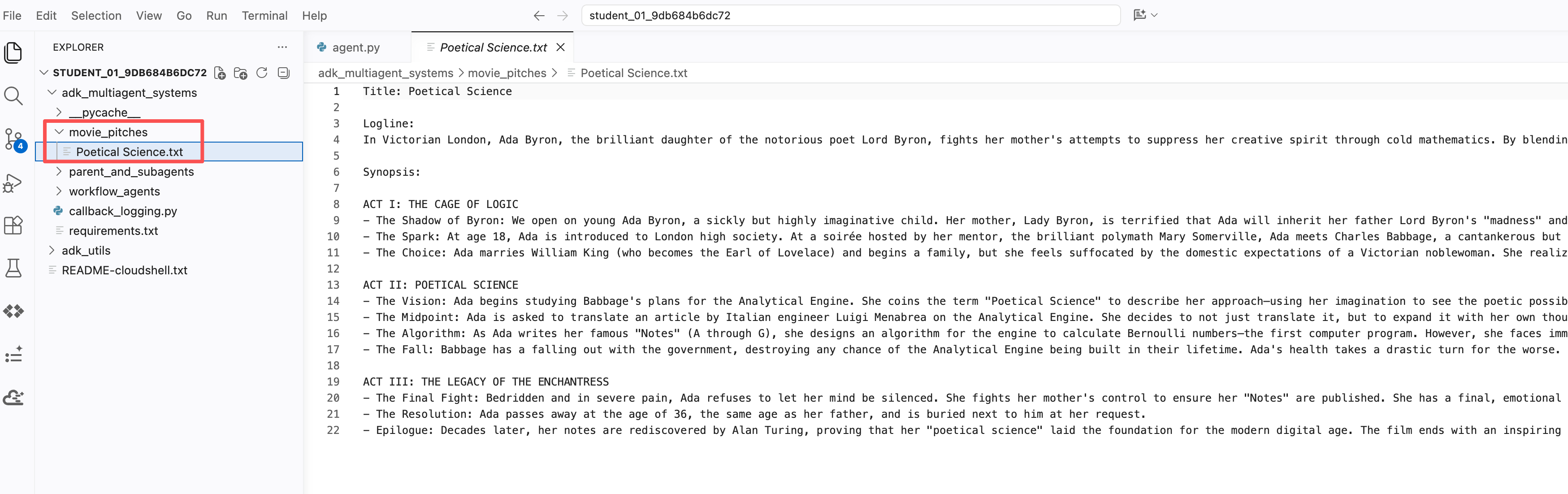
- Agent 会依次调用它的子 Agent 执行工作流,并把剧情大纲文件写入 ~/adk_multiagent_systems/movie_pitches 目录,写完后会告诉你。
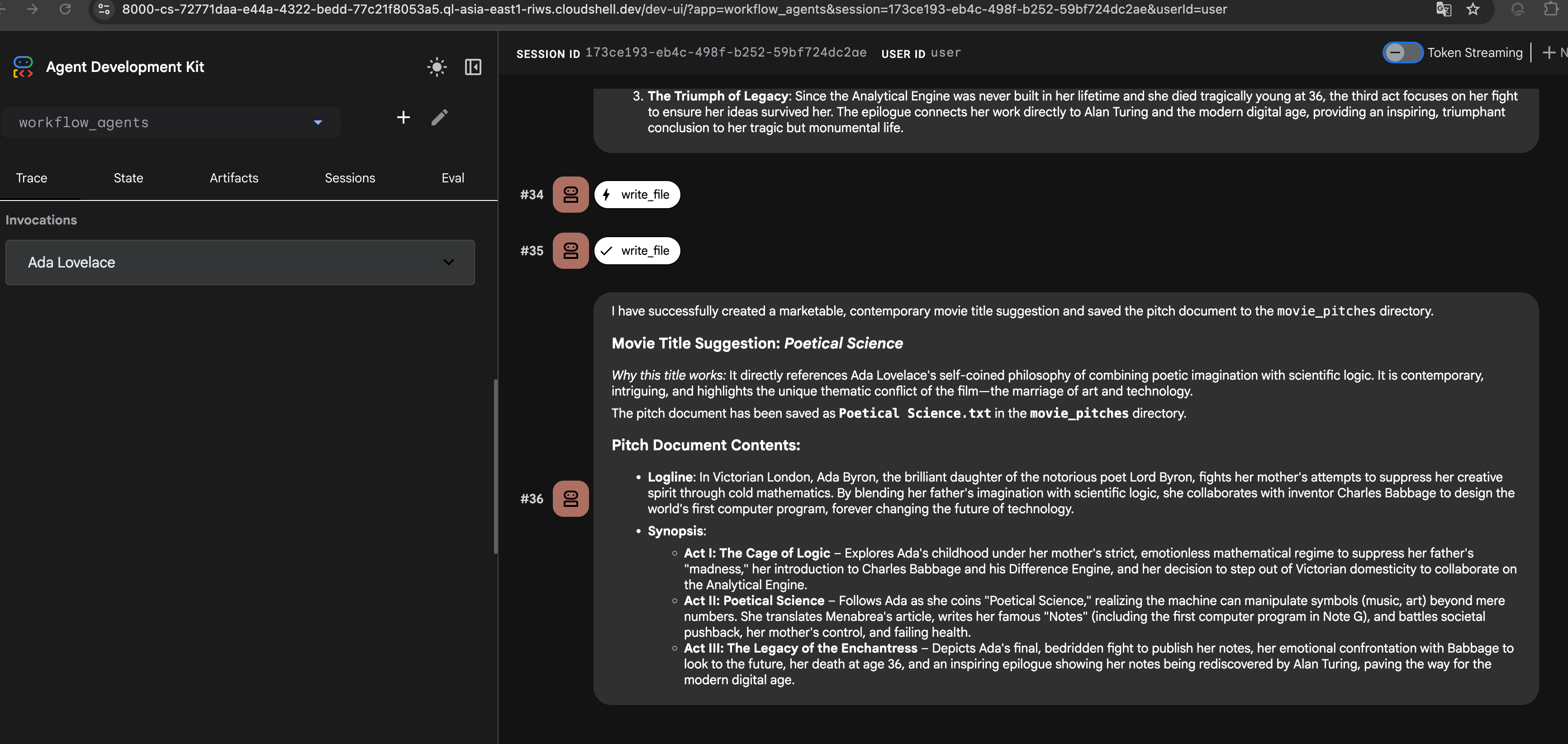 如果没看到 Agent 报告已生成文件,或者想换个人物再试一次,可以点击右上角的 + New Session 重新开始。
 - 在 Cloud Shell Editor 中查看 Agent 的输出文件。(可能需要在编辑器菜单中开启 View > Word Wrap,避免大量横向滚动。)
- 在 ADK Dev UI 中,点击某个 Agent 图标(
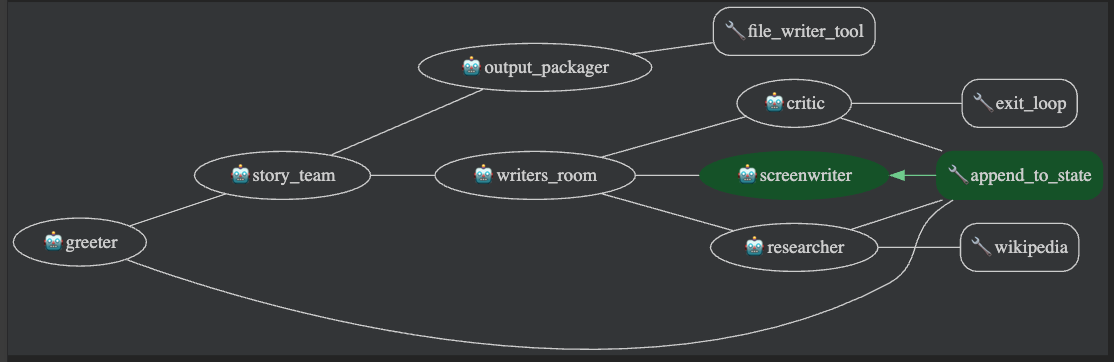
 )(代表一轮对话),打开事件视图(event view)。
 - 事件视图以可视化方式展示本会话中用到的 Agent 和工具组成的树。你可能需要在事件面板中滚动才能看到完整内容。
- 除了图形视图,你还可以点击事件的 Request 标签页,查看该 Agent 收到的请求内容(包括对话历史)。
- 也可以点击 Response 标签页,查看该 Agent 返回的内容。
LoopAgent 按既定顺序执行它的子 Agent,然后不等待用户输入,直接从头再来一遍。循环会一直重复,直到达到迭代次数上限,或某个子 Agent 发起退出循环的调用(通常是调用内置的 exit_loop 工具)。
这适合需要持续打磨、监控或周期性工作流的任务,例如:
- 迭代精修(Iterative Refinement): 通过反复的 Agent 循环持续改进文档或计划。
- 持续监控(Continuous Monitoring): 用一组 Agent 周期性检查数据源或条件。
- 辩论与协商(Debate or Negotiation): 模拟 Agent 间的多轮讨论,以获得更好的结果。
你将为电影提案 Agent 添加一个 LoopAgent,允许在创作故事时进行多轮研究与迭代。除了打磨剧本,这还允许用户给出更模糊的输入:用户可以不指定具体历史人物,只说想要一个"古代医生"的故事,研究-写作迭代循环会先找到合适的人选,再创作故事。
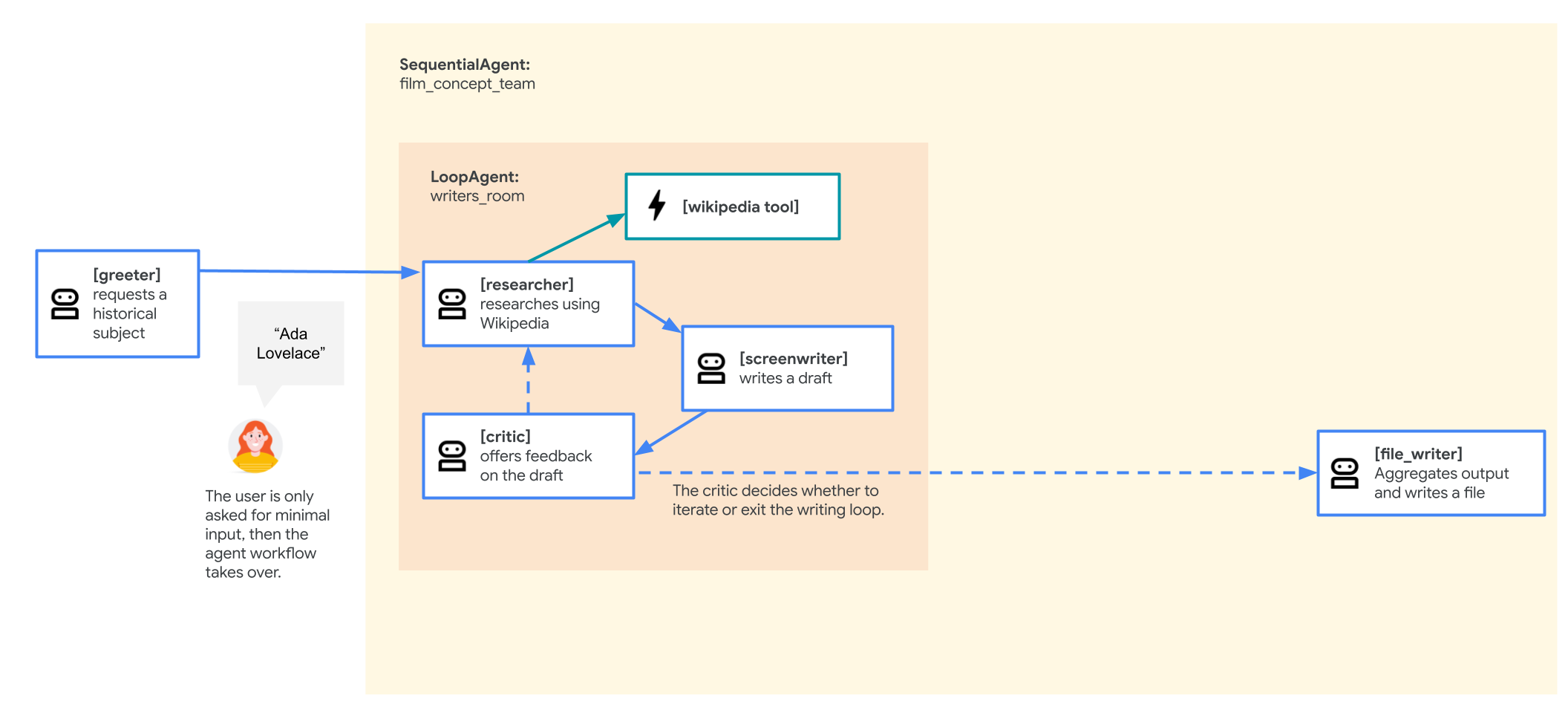
修改后的 Agent 流程如下:
- root_agent(greeter)保持不变。
- film_concept_team
SequentialAgent现在包含:- 一个 writers_room
LoopAgent作为序列的开始,它包含:- researcher,与之前相同。
- screenwriter,与之前类似。
- 一个新的 critic:对当前草稿提出批评意见,驱动下一轮循环中的研究和改进。
- 循环结束时,控制权交还给(escalate)film_concept_team
SequentialAgent,它再把控制权交给序列中的下一个 Agent:file_writer——与之前一样,负责给电影起名并把结果写入文件。
- 一个 writers_room
按以下步骤修改:
- 在 adk_multiagent_systems/workflow_agents/agent.py 文件中,添加以下工具导入,以便给 Agent 提供在需要时退出循环的能力:
from google.adk.tools import exit_loop
from google.adk.models import Gemini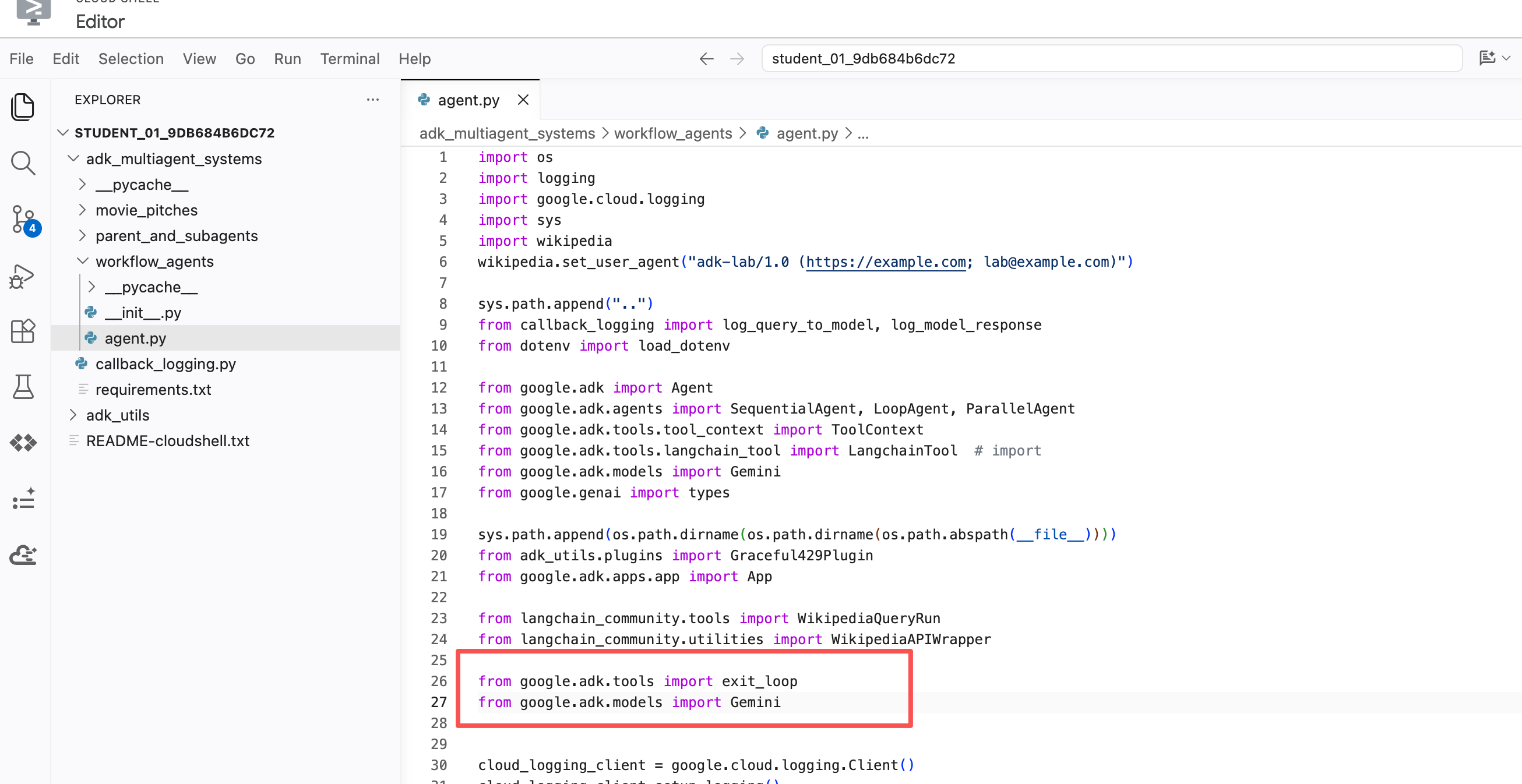
- 为了决定何时退出循环,添加这个 critic Agent 来判断剧情大纲是否已经合格。把以下新 Agent 粘贴到 agent.py 文件的 # Agents 注释标题之下(不要覆盖已有的 Agent)。注意它的工具中包含
exit_loop,并且 instruction 中写明了何时使用它:critic = Agent( name="critic", model=Gemini(model=model_name, retry_options=RETRY_OPTIONS), description="Reviews the outline so that it can be improved.", instruction=""" INSTRUCTIONS: Consider these questions about the PLOT_OUTLINE: - Does it meet a satisfying three-act cinematic structure? - Do the characters' struggles seem engaging? - Does it feel grounded in a real time period in history? - Does it sufficiently incorporate historical details from the RESEARCH? If the PLOT_OUTLINE does a good job with these questions, exit the writing loop with your 'exit_loop' tool. If significant improvements can be made, use the 'append_to_state' tool to add your feedback to the field 'CRITICAL_FEEDBACK'. Explain your decision and briefly summarize the feedback you have provided. PLOT_OUTLINE: { PLOT_OUTLINE? } RESEARCH: { research? } """, before_model_callback=log_query_to_model, after_model_callback=log_model_response, tools=[append_to_state, exit_loop] )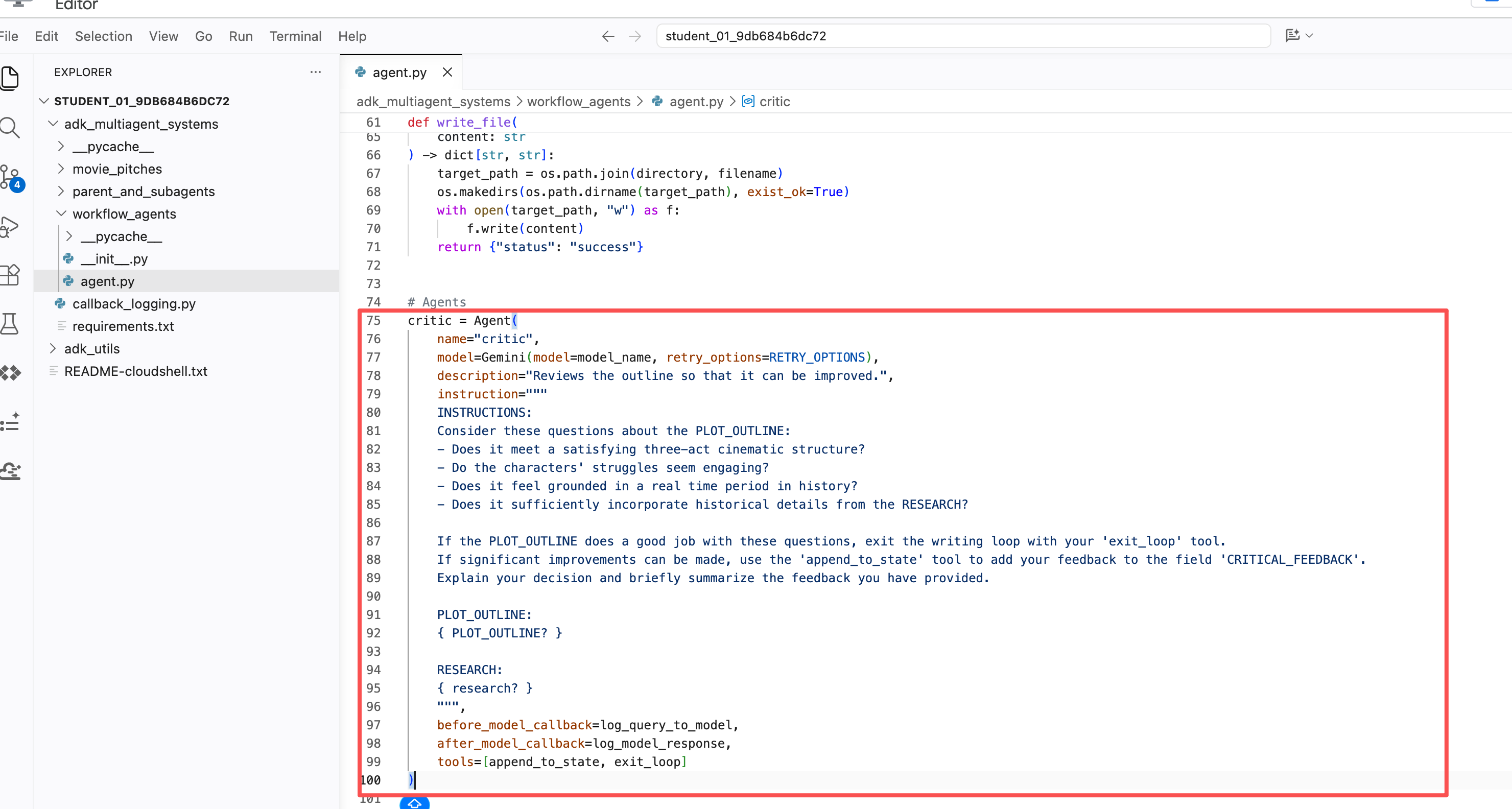
- 创建一个名为 writers_room 的新
LoopAgent,构成 researcher、screenwriter、critic 的迭代循环。每一轮循环都以对当前成果的批评意见收尾,推动下一轮的改进。把以下内容粘贴到现有的 film_concept_teamSequentialAgent之上:writers_room = LoopAgent( name="writers_room", description="Iterates through research and writing to improve a movie plot outline.", sub_agents=[ researcher, screenwriter, critic ], max_iterations=5, )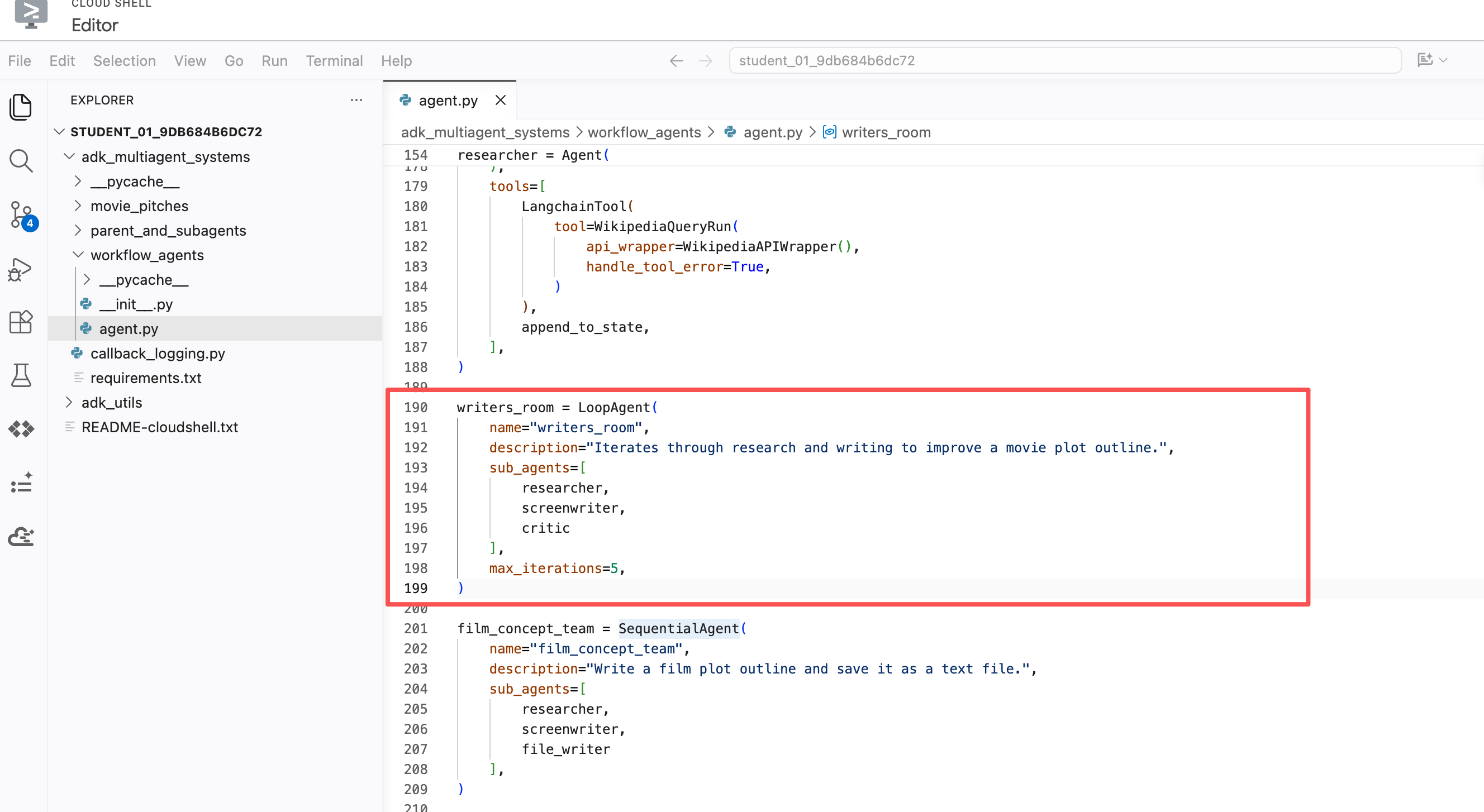
- 注意
LoopAgent的创建包含max_iterations参数,它定义循环最多运行多少轮。即使你计划用其它方式中断循环,给总迭代次数设置上限也是个好习惯。 - 更新 film_concept_team
SequentialAgent,用刚创建的 writers_roomLoopAgent替换其中的 researcher 和 screenwriter;file_writer 仍然留在序列末尾。film_concept_team 现在应该是这样:film_concept_team = SequentialAgent( name="film_concept_team", description="Write a film plot outline and save it as a text file.", sub_agents=[ writers_room, file_writer ], )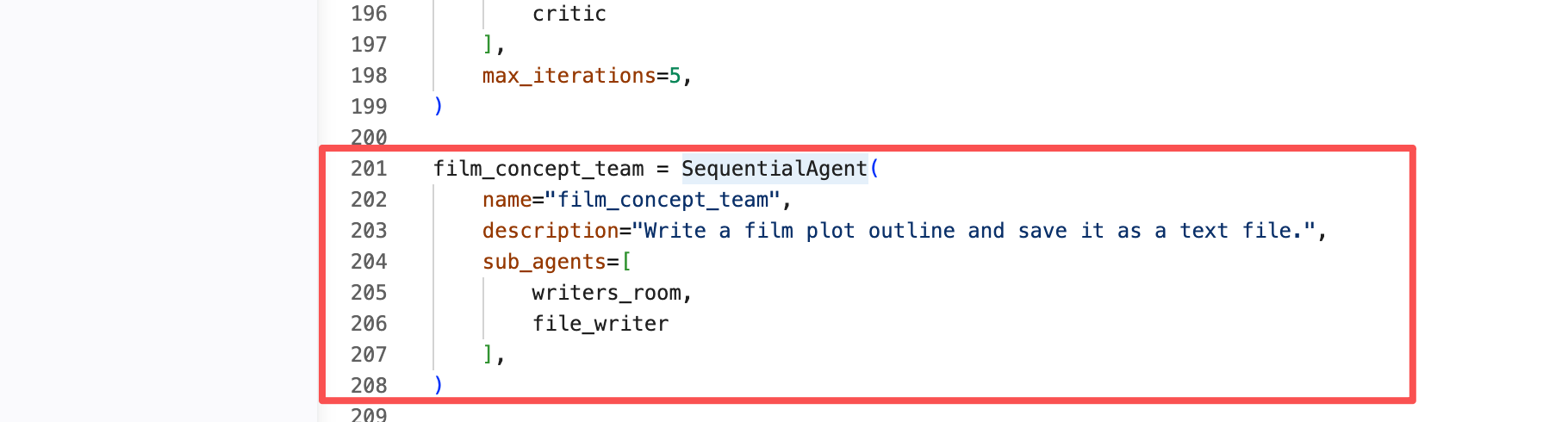
- 回到 ADK Dev UI 标签页,点击右上角的 + New Session 按钮开始新会话。
- 用
hello开始新对话。 - 当被要求选择一类历史人物时,选一个你感兴趣的。一些点子:
an industrial designer who made products for the masses(为大众设计产品的工业设计师)a cartographer (a map maker)(制图师)that guy who made crops yield more food(让粮食增产的那个人)
- 选定人物类型后,Agent 会一轮轮走完循环,最终给电影起名并把大纲写入文件。
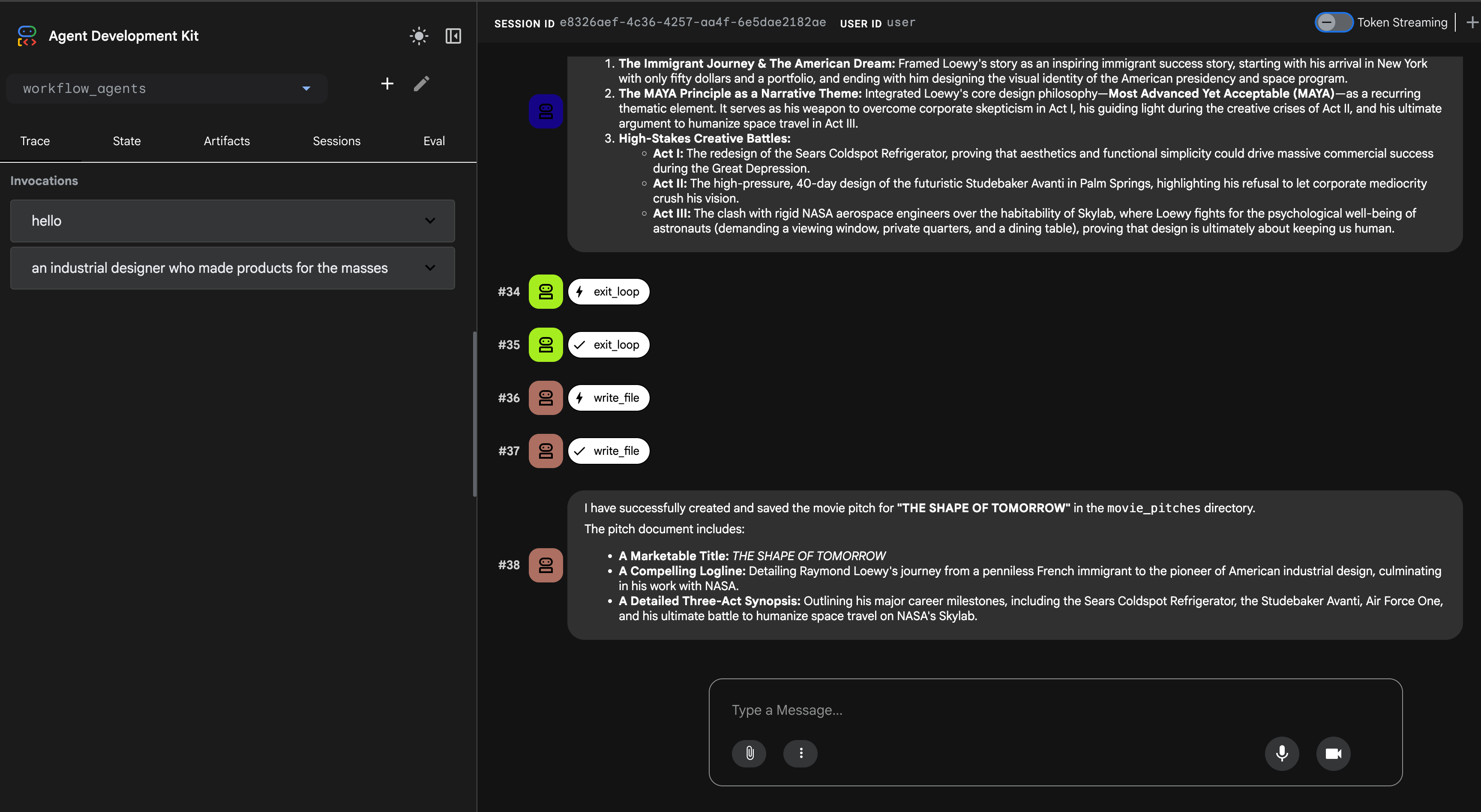
- 用 Cloud Shell Editor 查看生成的文件,它应该保存在 adk_multiagent_systems/movie_pitches 目录中。(同样,可能需要开启 View > Word Wrap 才能舒服地阅读全文。)
ParallelAgent 支持并发执行它的子 Agent。每个子 Agent 在自己的分支中运行,默认情况下,并行执行期间它们彼此不直接共享对话历史或 state。
这对于可以拆成相互独立、可同时处理的子任务非常有价值——使用 ParallelAgent 能显著缩短整体执行时间。
在本任务中,你将为电影提案补充两份附加报告——潜在票房表现研究和初步选角建议——来强化这部新片的提案。
修改后的 Agent 流程如下:
- greeter 保持不变。
- film_concept_team
SequentialAgent现在包含:- writers_room
LoopAgent,保持不变,包含:- researcher
- screenwriter
- critic
- 新增的 preproduction_team
ParallelAgent随后执行,包含:- box_office_researcher:利用历史票房数据,为这部电影生成潜在票房表现报告。
- casting_agent:基于出演过类似影片的演员,生成初步选角建议。
- file_writer 仍在最后,把整个流程的结果写入文件。
- writers_room
虽然这个示例展示的大多是现实中由人类团队完成的创意工作,但这个工作流演示了如何把一条复杂的任务链拆给多个子 Agent,产出复杂文档的草稿,再由人类团队成员编辑和润色。
- 把以下新 Agent 和
ParallelAgent粘贴到 workflow_agents/agent.py 文件的# Agents标题之下:box_office_researcher = Agent( name="box_office_researcher", model=Gemini(model=model_name, retry_options=RETRY_OPTIONS), description="Considers the box office potential of this film", instruction=""" PLOT_OUTLINE: { PLOT_OUTLINE? } INSTRUCTIONS: Write a report on the box office potential of a movie like that described in PLOT_OUTLINE based on the reported box office performance of other recent films. """, output_key="box_office_report" ) casting_agent = Agent( name="casting_agent", model=Gemini(model=model_name, retry_options=RETRY_OPTIONS), description="Generates casting ideas for this film", instruction=""" PLOT_OUTLINE: { PLOT_OUTLINE? } INSTRUCTIONS: Generate ideas for casting for the characters described in PLOT_OUTLINE by suggesting actors who have received positive feedback from critics and/or fans when they have played similar roles. """, output_key="casting_report" ) preproduction_team = ParallelAgent( name="preproduction_team", sub_agents=[ box_office_researcher, casting_agent ] )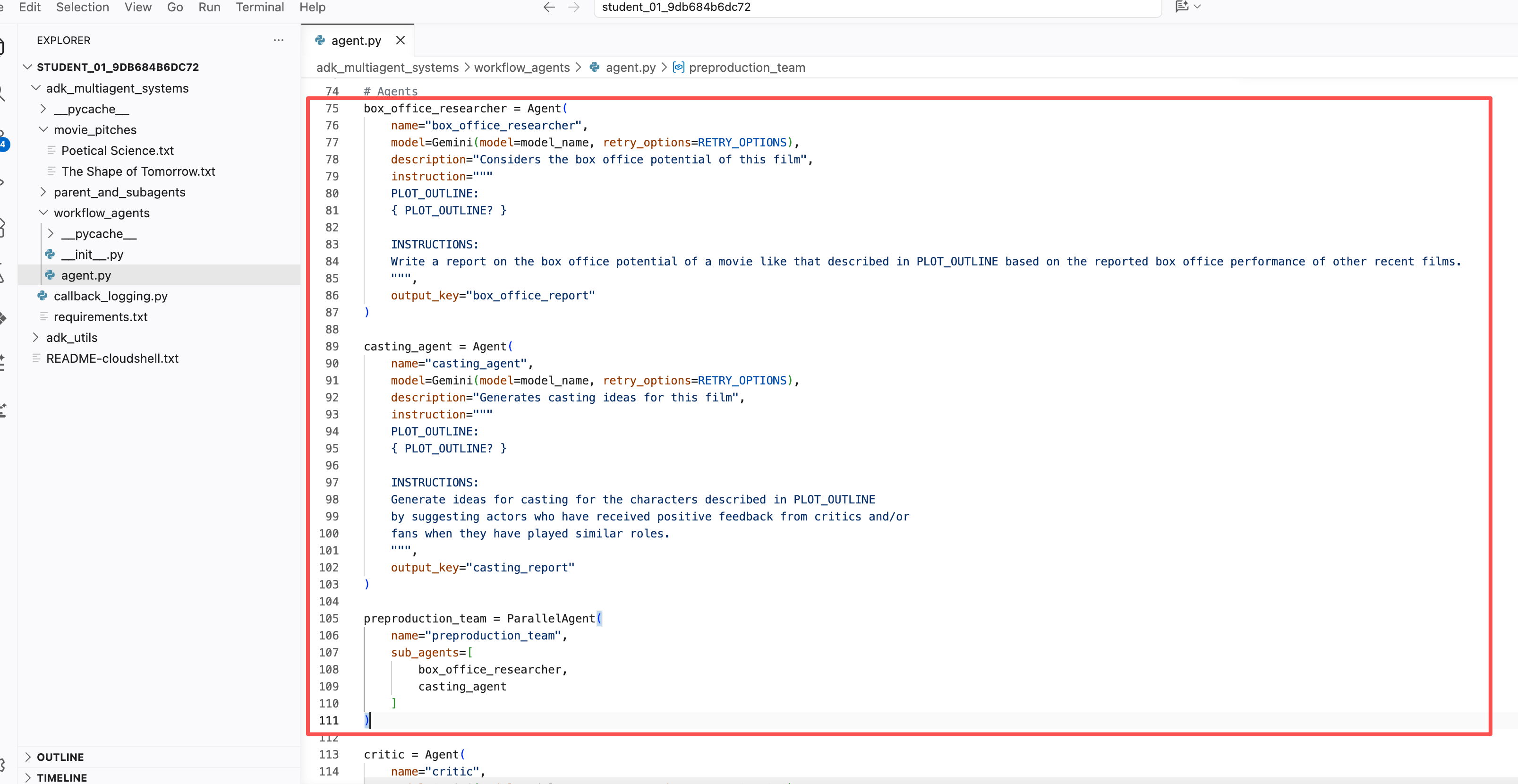
- 更新现有 film_concept_team Agent 的 sub_agents 列表,把
preproduction_team加在 writers_room 和 file_writer 之间:film_concept_team = SequentialAgent( name="film_concept_team", description="Write a film plot outline and save it as a text file.", sub_agents=[ writers_room, preproduction_team, file_writer ], )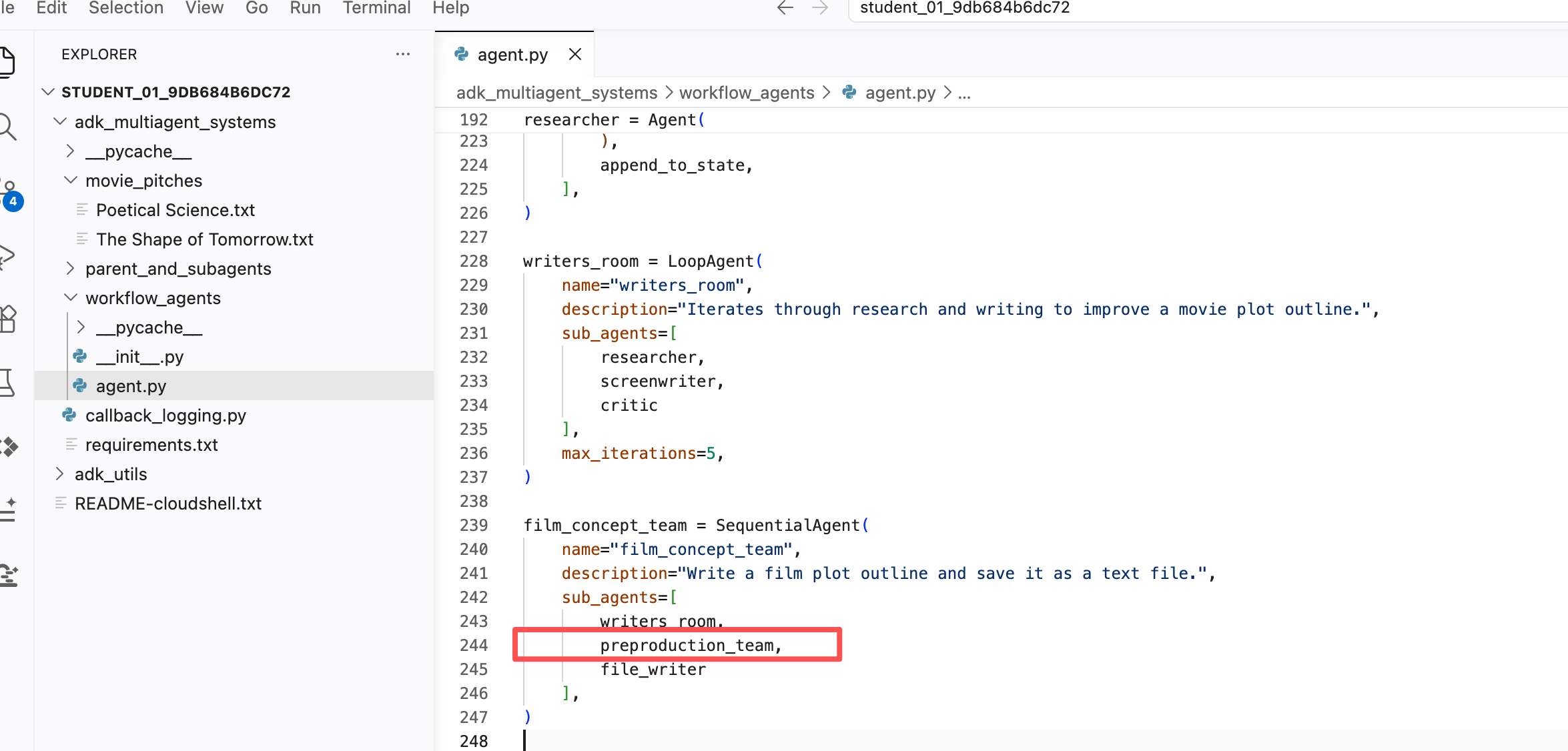
- 把 file_writer 的 instruction 更新为:
INSTRUCTIONS:
- Create a marketable, contemporary movie title suggestion for the movie described in the PLOT_OUTLINE. If a title has been suggested in PLOT_OUTLINE, you can use it, or replace it with a better one.
- Use your 'write_file' tool to create a new txt file with the following arguments:
    - for a filename, use the movie title
    - Write to the 'movie_pitches' directory.
    - For the 'content' to write, include:
        - The PLOT_OUTLINE
        - The BOX_OFFICE_REPORT
        - The CASTING_REPORT

PLOT_OUTLINE:
{ PLOT_OUTLINE? }

BOX_OFFICE_REPORT:
{ box_office_report? }

CASTING_REPORT:
{ casting_report? }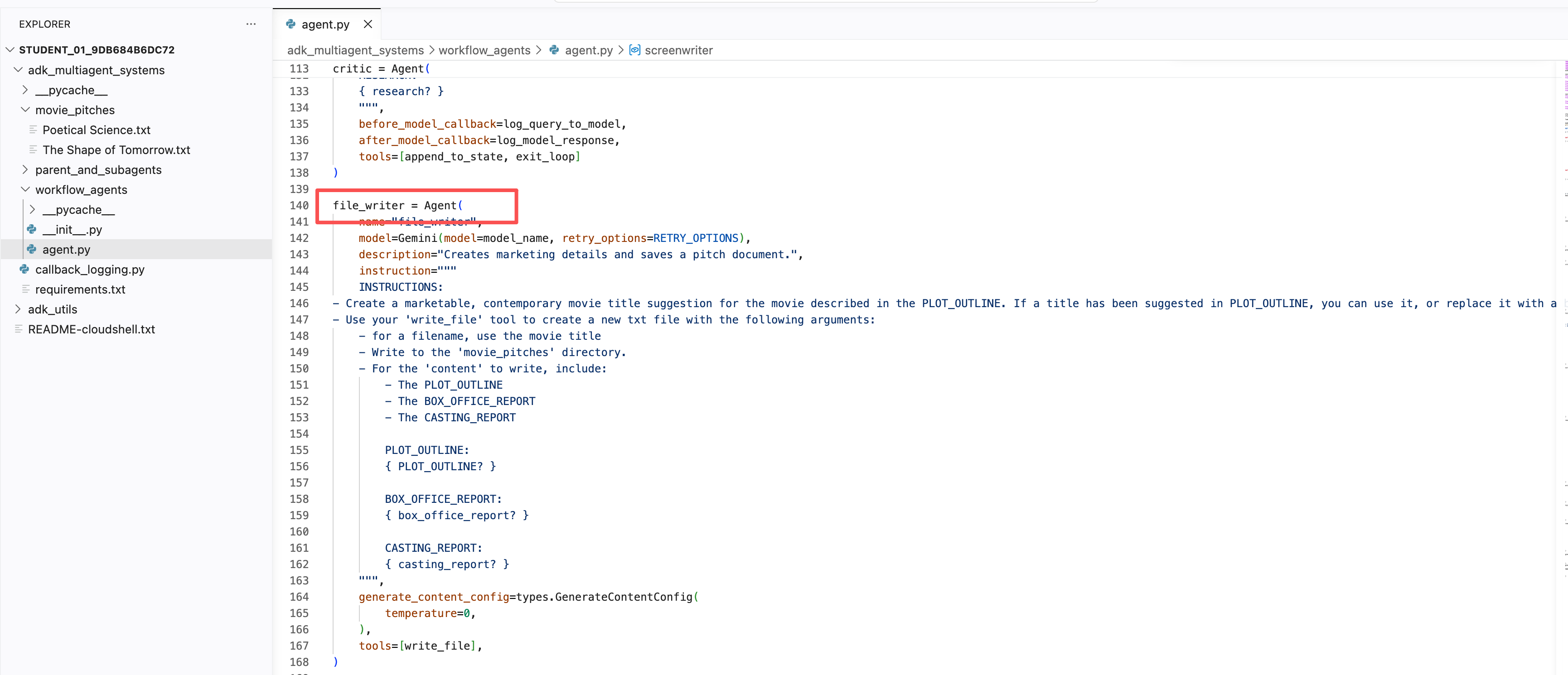
- 保存文件:按
Ctrl + S(Mac 为Cmd + S)。仅关闭标签页不会自动保存。 - 在 ADK Dev UI 中点击右上角的 + New Session。
- 输入
hello开始对话。 - 按提示输入一个你感兴趣的新人物点子,例如:
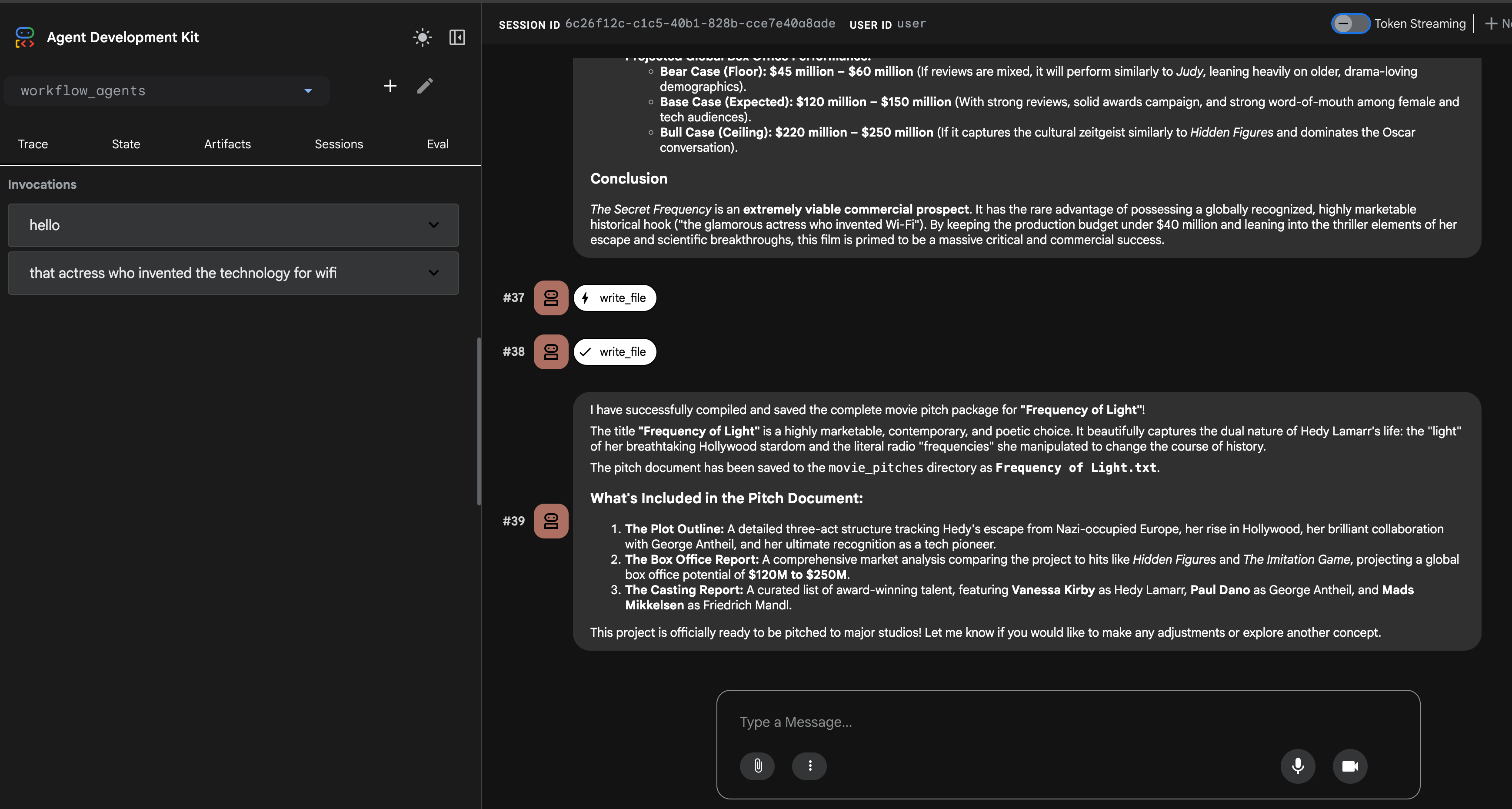
that actress who invented the technology for wifi(发明了 WiFi 底层技术的那位女演员)an exciting chef(一位充满魅力的厨师)key players in the worlds fair exhibitions(世界博览会上的关键人物)
- Agent 完成写作和报告生成后,到 adk_multiagent_systems/movie_pitches 目录查看它生成的文件。如果过程中某一环节失败,点击右上角 + New session 重试。
自定义工作流 Agent(Custom workflow agents)
当预定义的 SequentialAgent、LoopAgent、ParallelAgent 无法满足需求时,CustomAgent 提供了实现全新工作流逻辑的灵活性。你可以自定义流程控制、条件执行,或子 Agent 之间的状态管理模式。这适用于复杂工作流、有状态编排,或需要把自定义业务逻辑集成到框架编排层的场景。
创建 CustomAgent 超出了本实验的范围,但知道有这个能力就够了——需要时它就在那里!
恭喜完成实验!
在本实验中,你学会了:
- 创建多个 Agent,并用"父 → 子" 关系把它们组织起来;
- 向会话 state 写入内容,并在 Agent 的 instruction 中读取它;
- 使用工作流 Agent 让对话在 Agent 之间直接传递。
延伸阅读
- Agent Development Kit 官方文档
- ADK 多 Agent 系统文档
- ADK Session State 与 key templating
- Google Cloud 培训课程——从入门到进阶,提供按需、直播和虚拟等多种形式。
- Google Cloud 认证——验证并证明你的 Google Cloud 技术能力。
原始实验手册最后更新:2026-07-26;实验最后验证:2026-07-26。
Copyright 2026 Google LLC. Google 和 Google 徽标是 Google LLC 的商标。本页面为面向实验学员的中文改编版。